If you send WhatsApp marketing templates through the regular Cloud API, you are using a general-purpose pipe for a job Meta now has a dedicated tool for. The Marketing Messages API for WhatsApp, which you may know by its old name MM Lite, adds delivery optimisation, flexible expiry and conversion tracking to the same templates you already use. Here is how it works and when to switch.
What is the Marketing Messages API?
The Marketing Messages API for WhatsApp is a separate endpoint, /marketing_messages, built only for marketing templates. It was called "MM Lite" during its early phase.
What stays the same:
Your approved templates. You do not need to rewrite or re-submit standard templates to use it.
Your business phone number and WhatsApp Business Account.
Your opt-in obligations. Customers still need to have agreed to hear from you. See our opt-in guide.
What changes is how Meta handles delivery and what you can measure afterwards.
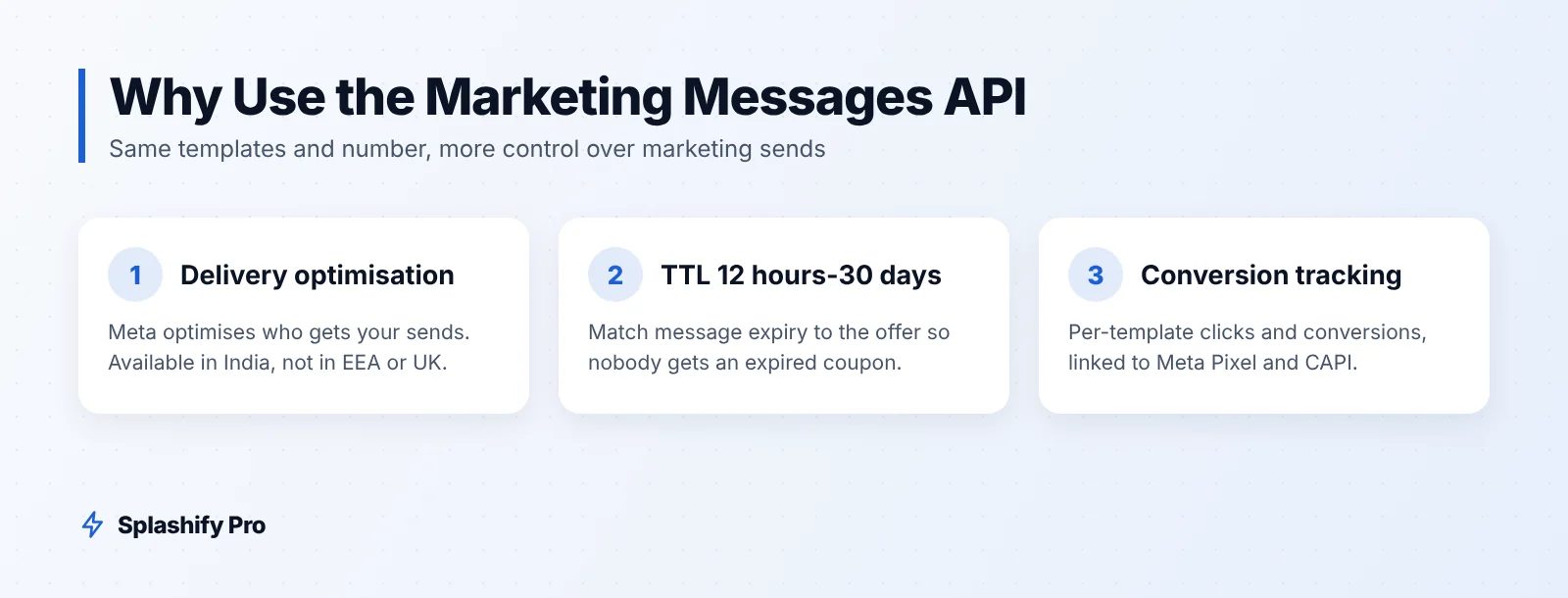
The three main features
1. Delivery optimisation
Through this endpoint, Meta can optimise how marketing messages are delivered, using its own signals about which messages people are likely to engage with. The aim is that more of your sends reach people who will open and act on them.
Delivery optimisation is available in India. It is not available in the EEA, UK, Japan, South Korea, Nigeria, South Africa and Thailand, so if you also message customers in those markets, expect different behaviour there.
2. Time-to-live from 12 hours to 30 days
Time-to-live (TTL) is how long WhatsApp keeps trying to deliver a message to a user whose phone is offline. On the Marketing Messages API you can set it anywhere from 12 hours to 30 days.
Match TTL to the offer:
Flash sale ending tonight: 12 hours. A message about a deal that has already ended only annoys people.
Weekend sale: 24 to 48 hours.
New collection or catalogue launch: several days is reasonable.
3. Click and conversion metrics
You get click and conversion metrics per template, and the API can connect to Meta Pixel and the Conversions API. That means you can see not just "delivered" and "read" but which template drove website clicks and purchases.
For a D2C brand, this is the difference between "the Diwali template was read by lots of people" and "the Diwali template drove this many orders". The second is what tells you where to spend.
Marketing Messages API vs Cloud API
Feature | Cloud API | Marketing Messages API |
|---|---|---|
Endpoint | /messages | /marketing_messages |
Message types | All: marketing, utility, authentication, service | Marketing templates only |
Templates and number | Your approved templates and number | Same approved templates and number |
Delivery optimisation | No | Yes, outside excluded markets |
Time-to-live | Standard | Configurable, 12 hours to 30 days |
Click and conversion metrics | Limited | Per template, with Meta Pixel / Conversions API |
Max price (bid cap) templates | Fail with error 131061 | Supported |
Fallback | Not applicable | Can fall back to Cloud API at standard rate, except max-price templates |
India marketing rate | ₹0.8631 per delivered message + GST | Marketing rate per delivered message + GST, or your bid cap |
Max price only works here
From October 2026, Meta's max price feature is in open beta. It lets you set a bid cap per marketing template. Those templates can only be sent through the Marketing Messages API. Send them through the Cloud API and they fail with error 131061. They also cannot use the Cloud API fallback.
Max price is planned to become mandatory in eligible countries in Q2 2027. If you plan to use it, moving marketing traffic to this endpoint now is good preparation. Our max price guide covers bid maths and testing.
When to use which
A simple rule: marketing goes through the Marketing Messages API; everything else stays on the Cloud API.
Cloud API: order confirmations, shipping updates, payment reminders, OTPs, and replies in your team inbox.
Marketing Messages API: promotions, sale announcements, product launches, cart recovery offers, festive campaigns.
Hypothetical example
A Chennai skincare brand sends order updates as utility templates through the Cloud API. For its monthly offer broadcast, it switches to the Marketing Messages API, sets TTL to 24 hours so nobody gets an expired coupon, and connects its Meta Pixel. After two campaigns it can compare templates on purchases rather than read rates, and drops the one that gets opened but rarely converts.
How to get started
Confirm eligibility. Check that your business and phone number can use the Marketing Messages API through your provider.
Audit your templates. Make sure promotional templates are categorised as marketing. Our template examples help with wording.
Set TTL rules. Decide a default TTL per campaign type.
Connect tracking. Link Meta Pixel or the Conversions API so conversion metrics flow back.
Run one campaign in parallel. Send a split of the same campaign through each endpoint and compare delivered, clicks and orders.
Move marketing traffic over. Once you are happy, route all marketing templates through the new endpoint.
Frequently asked questions
Is MM Lite the same as the Marketing Messages API?
Yes. "MM Lite" was the earlier name. It is now called the Marketing Messages API for WhatsApp.
Do I need new templates?
No. The Marketing Messages API uses the same approved templates and number. The exception is max price: bid caps must be set on new templates.
Can I send utility or OTP messages through it?
No. It is for marketing templates. Keep utility, authentication and service messages on the Cloud API.
Does delivery optimisation work in India?
Yes. India is not on the excluded list. The feature is unavailable in the EEA, UK, Japan, South Korea, Nigeria, South Africa and Thailand.
The bottom line
The Marketing Messages API gives your existing templates better delivery, sensible expiry and real conversion data, and it is the only route for max-price templates. Move marketing there, keep everything else on the Cloud API, and measure by orders. Splashify Pro supports broadcasts with segments, a template manager and a public API, with Meta's charges passed through at Meta's rate card. Start your 7-day free trial, no credit card needed.
- #mm lite
- #whatsapp cloud api
- #whatsapp conversion tracking
- #whatsapp delivery optimisation
- #whatsapp marketing messages api