
WhatsApp broadcasts
WhatsApp broadcasts your customers actually read.
- 7-day free trial
- No credit card
- Setup help on WhatsApp
- Plans from ₹999/month + GST
Inside the app
See broadcasts in the app
Click through the real app, screen by screen. Every screenshot is Splashify Pro with sample data.
Send an approved template to thousands, then watch delivered and read counts fill in.
Click a number to see what it does, or use the arrow keys.
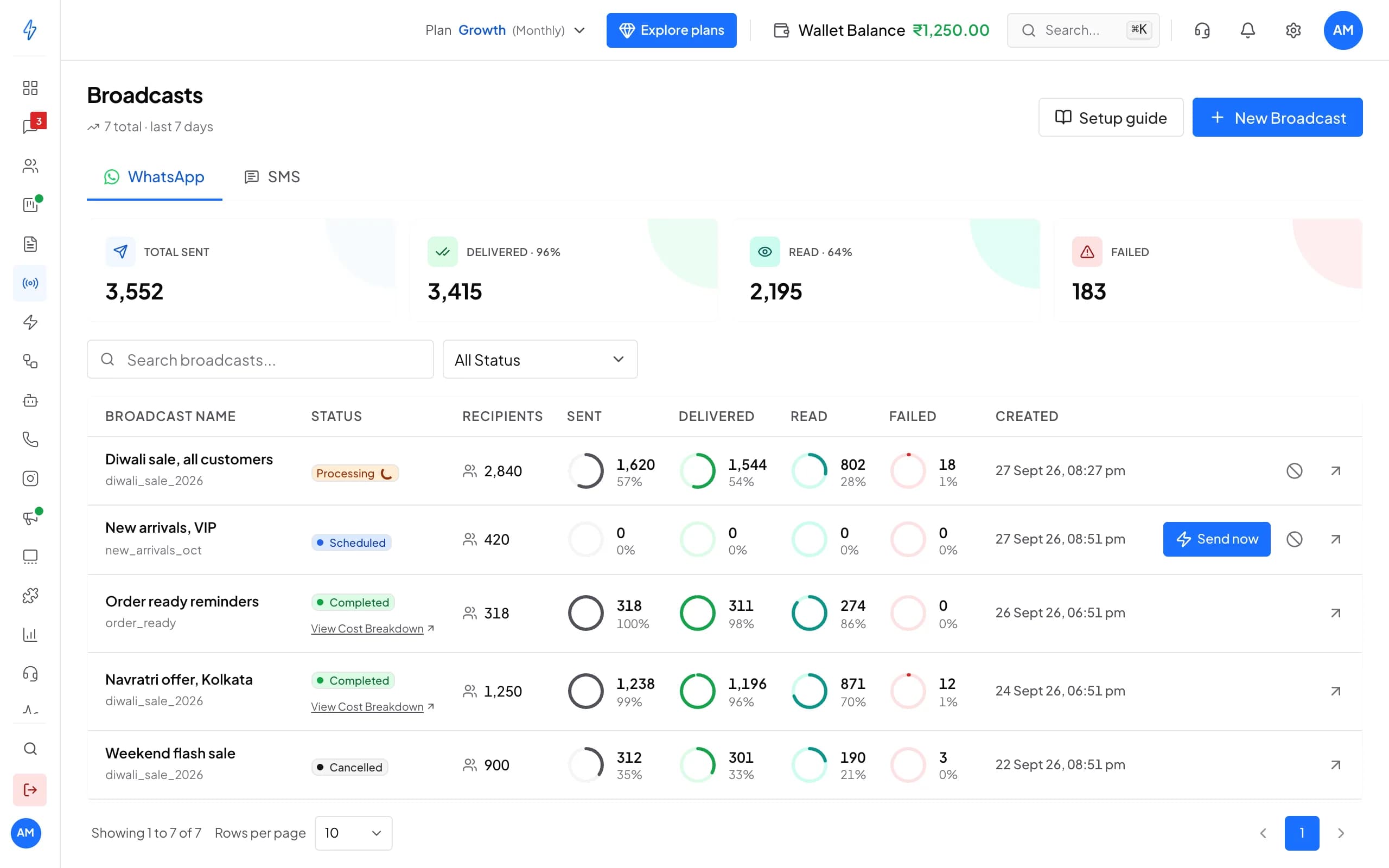
1 of 6
Start a broadcast
Send an approved template to your segments or to a CSV list you upload.
Try it with your own number
7 days with every feature and no credit card. Our team helps you set up on WhatsApp.
Why WhatsApp broadcasts
Offers people see, costs you know
Seen where people read
Your offer lands in WhatsApp next to chats with family and friends, not in a promotions folder.The cost before you send
Every broadcast shows its cost up front, and a breakdown once it has gone out.Replies that turn into sales
Quick-reply buttons bring customers into a chat, where your team or AI agent takes the order.
Key features
Send the right message to the right list
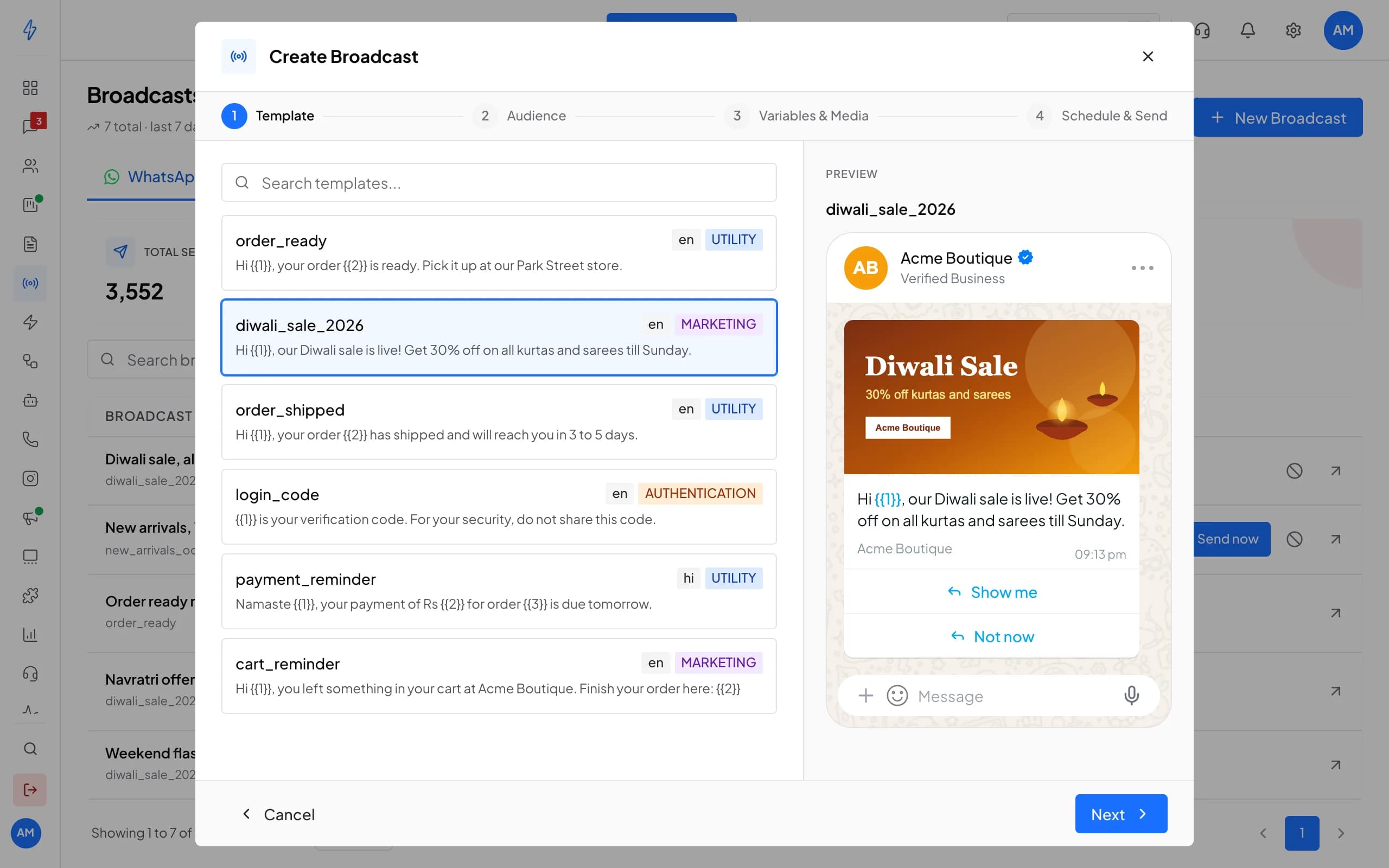
Create a broadcast
Four short steps, cost shown up front
- Segments by tag, city or any field, or a CSV list
- Each message personalised with the customer's name or order
- Schedule it or send it now
In the chat
A message worth opening
- Quick replies that start a chat
- Link and call buttons
- Marketing and utility templates
- Today
- Acme Boutique: Diwali Sale starts now Hi Priya, our biggest sale of the year is live. Use code DIWALI50 for 50% off kurtas and sarees, for the next 24 hours only. Acme Boutique Buttons: Shop now, View catalog.
- Customer: View catalog
- Acme Boutique (AI agent): Here you go, Priya. Tell me your size and I'll hold one for you.
Verified Business
Diwali Sale starts now
Acme Boutique
10:30Reports
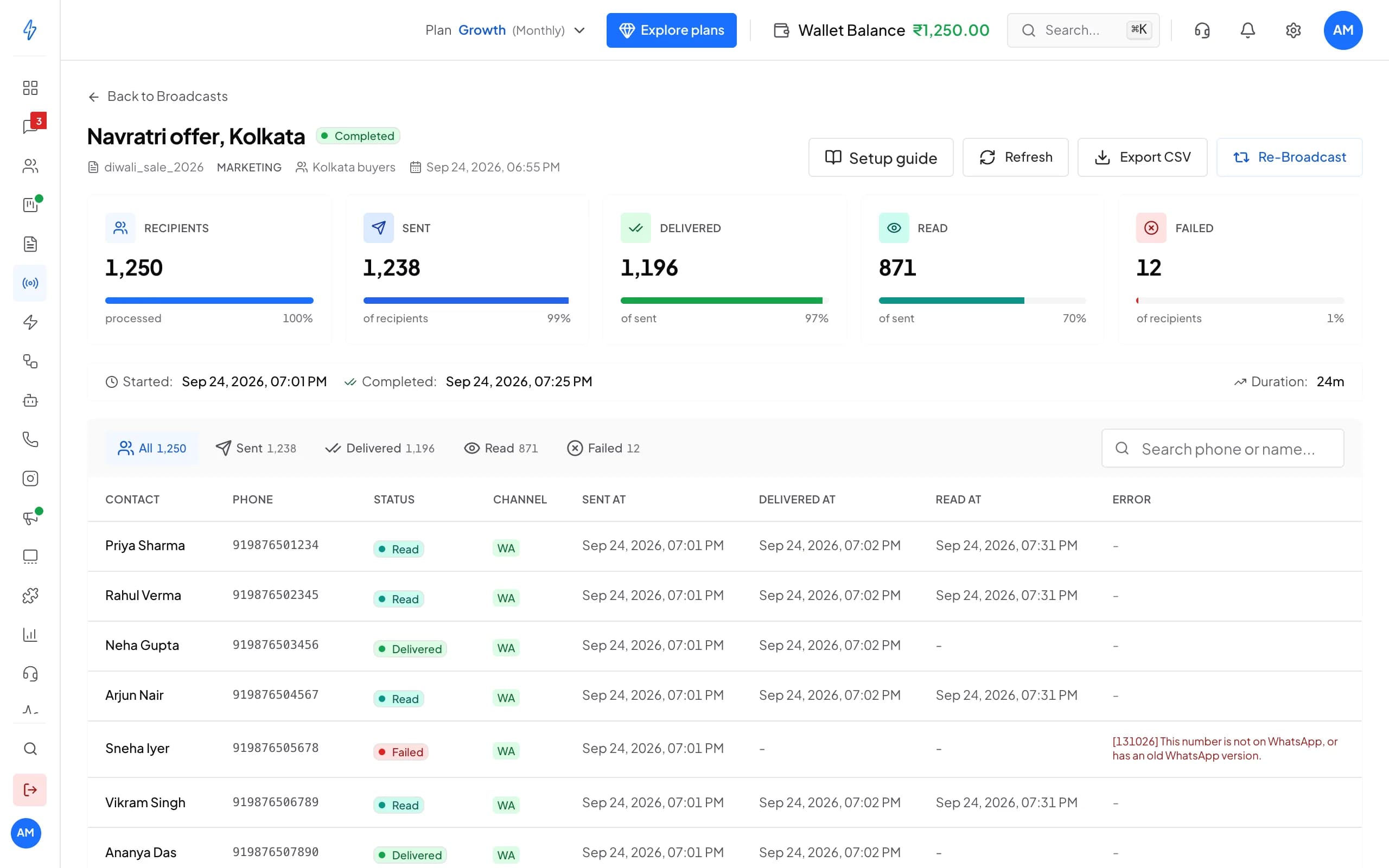
See who read it, then send again
- Sent, delivered, read and failed
- The failure reason for every contact
- Export the report as a CSV file
Try it here
Price a broadcast and build the message
See what a broadcast to your list costs on each plan, then build the message the way customers will see it. Nothing is sent.
Build a WhatsApp message
Type your offer, pick a picture and add buttons. The phone shows it the way your customer will see it.
Loading
Why Splashify Pro
Why businesses send broadcasts with Splashify Pro
Paced for your number
Sends follow Meta's limits for your number, so a big list goes out smoothly.No billing surprises
The cost is held when a broadcast starts and settled as messages go out.Live progress
Watch sent, delivered and read counts fill in while it runs.Always today's list
Segments update as contacts change, so a broadcast goes to today's members.
Go live in four steps
Sign up, connect your number, teach your AI agent and go live. No code needed.
Step 1: Sign up
Create your account and start the 7-day free trial. No credit card needed.
Step 2: Connect
Link your WhatsApp Business number through Meta's guided signup. Add Instagram too.
Step 3: Teach
Add your products, prices and policies. The AI agent learns them in plain language.
Step 4: Go live
Switch the agent on, send your first broadcast and watch replies land in one inbox.
Frequently asked questions
Still have a question?
There is no limit on our side. Meta sets how many different customers your number can message in a day, starting at 250 for a new number and rising as you keep your quality rating high. Your dashboard shows your current daily limit.
Yes, with approved marketing templates, to customers who have opted in. Each marketing message is charged at the marketing price for the customer's country. The pricing page lists every price.
On top of your plan, each message you send has a price that depends on its category (marketing, utility or authentication) and the customer's country. Replies within 24 hours of the customer's last message are free for the first 1,000 each month, and incoming messages are always free. Message charges apply during the free trial too. The pricing page lists every price.
Most teams are live within 1-2 hours through Meta's guided signup. You'll need a Meta Business Account, a phone number not currently registered with WhatsApp, and basic business verification documents. Our team helps you on WhatsApp if you get stuck.
Yes. Export your contacts, connect your WhatsApp Business number through Meta's guided signup, then import your contacts and add your templates again. Our team helps you on WhatsApp while you switch.
Yes. Pause or cancel a broadcast while it is still sending. Messages that were not sent are not charged.
The verified badge is granted by Meta, not by any provider, once your business meets Meta's criteria. Verify your business on Meta first; our team can walk you through the request.
No. Most workflows are no-code: the visual flow builder, chatbots, the template designer and the broadcast scheduler all work without code. Developers can use the REST API for custom integrations.
Message only people who have agreed to hear from you on WhatsApp; Meta requires it. Opted-out and blocked numbers stay in their own list and never get your broadcasts. Customer data is encrypted at rest and in transit, every action in your account is logged, and data requests under India's DPDP Act go through our data request page.
Still have a question?
Send your next offer on WhatsApp. Start free for 7 days.
- 7-day free trial
- No credit card
- Setup help on WhatsApp