
Splashify Pro for Chrome
Send WhatsApp from any web page
- Uses your Splashify Pro account
- Same price as sending from the app
- Remove access any time
What it does
WhatsApp next to the pages you work in
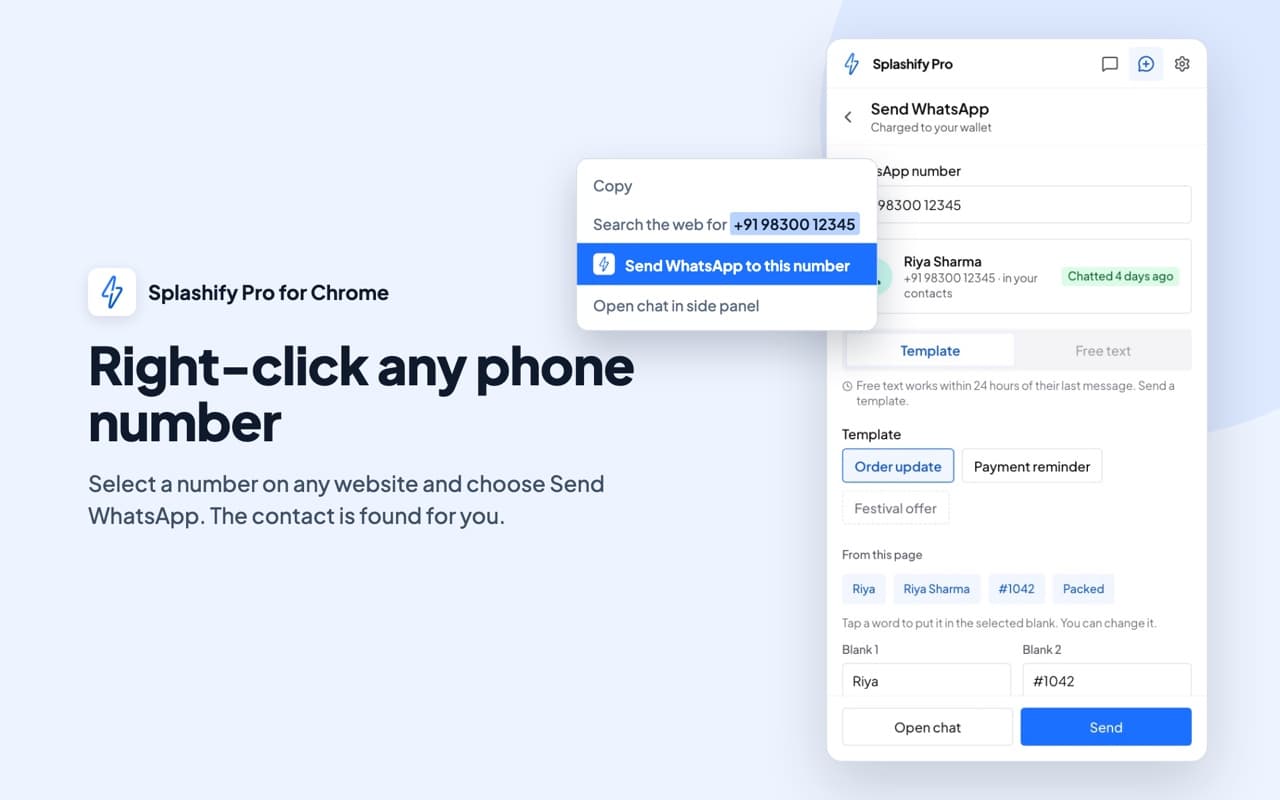
Right-click to send
Select a phone number on any web page, right-click it and send an approved template. If the person wrote to you in the last 24 hours, you can type your own reply.Your inbox in the side panel
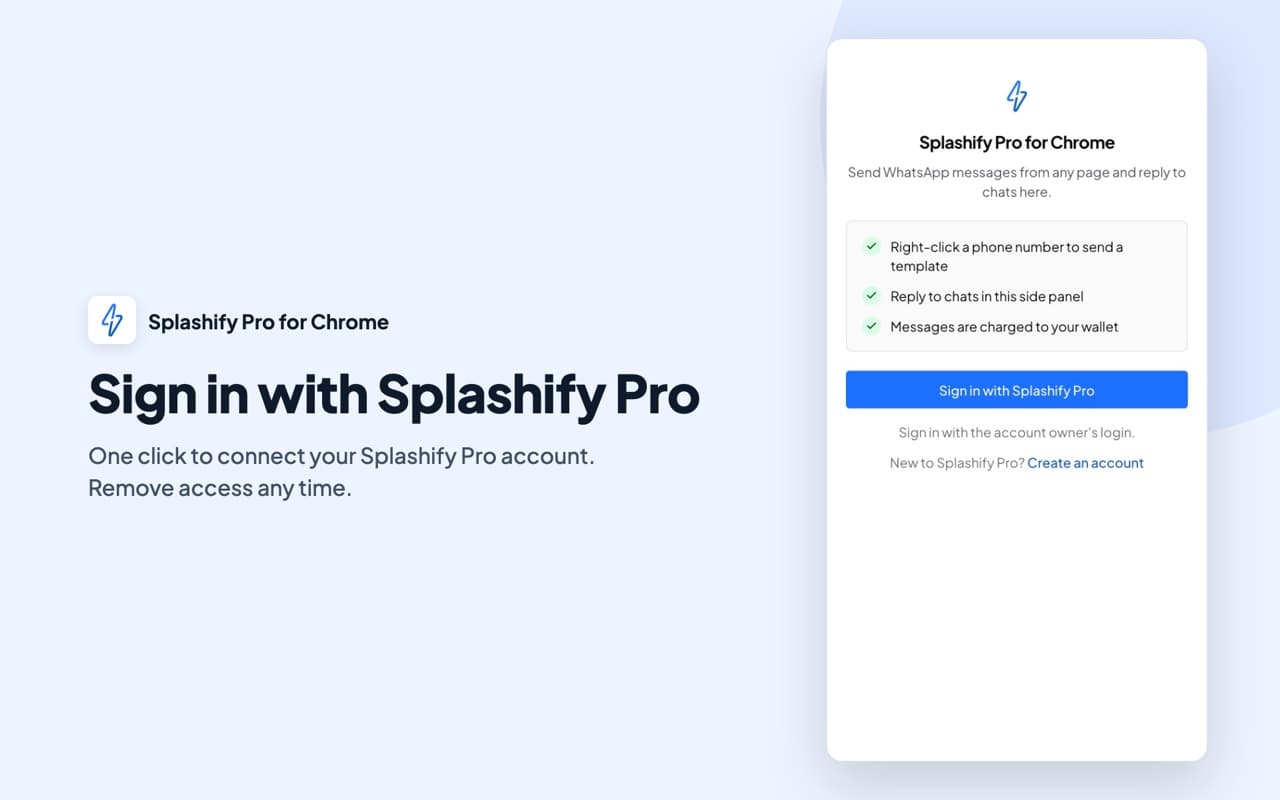
Read and answer your WhatsApp chats in Chrome's side panel, with unread counts and an alert for each new message.Sign in with your Splashify Pro account
Click Sign in, check the account and click Allow. Messages go from your own business number and show in your inbox in the app.
See it in Chrome
How it looks in your browser
Before you send
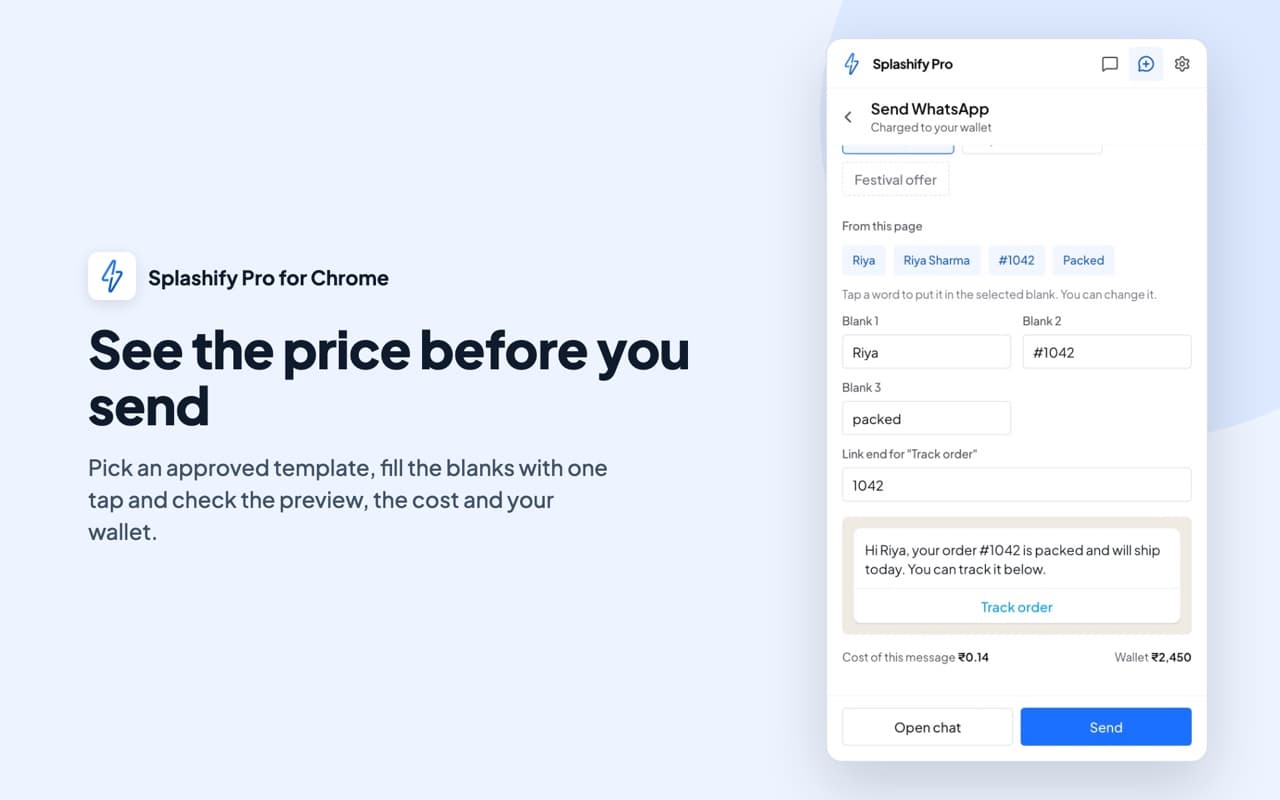
See the price before you send
- Send stays off until the price shows
- Wallet too low? It links you to recharge
- Templates with an image, video or document are sent from the app
Side panel
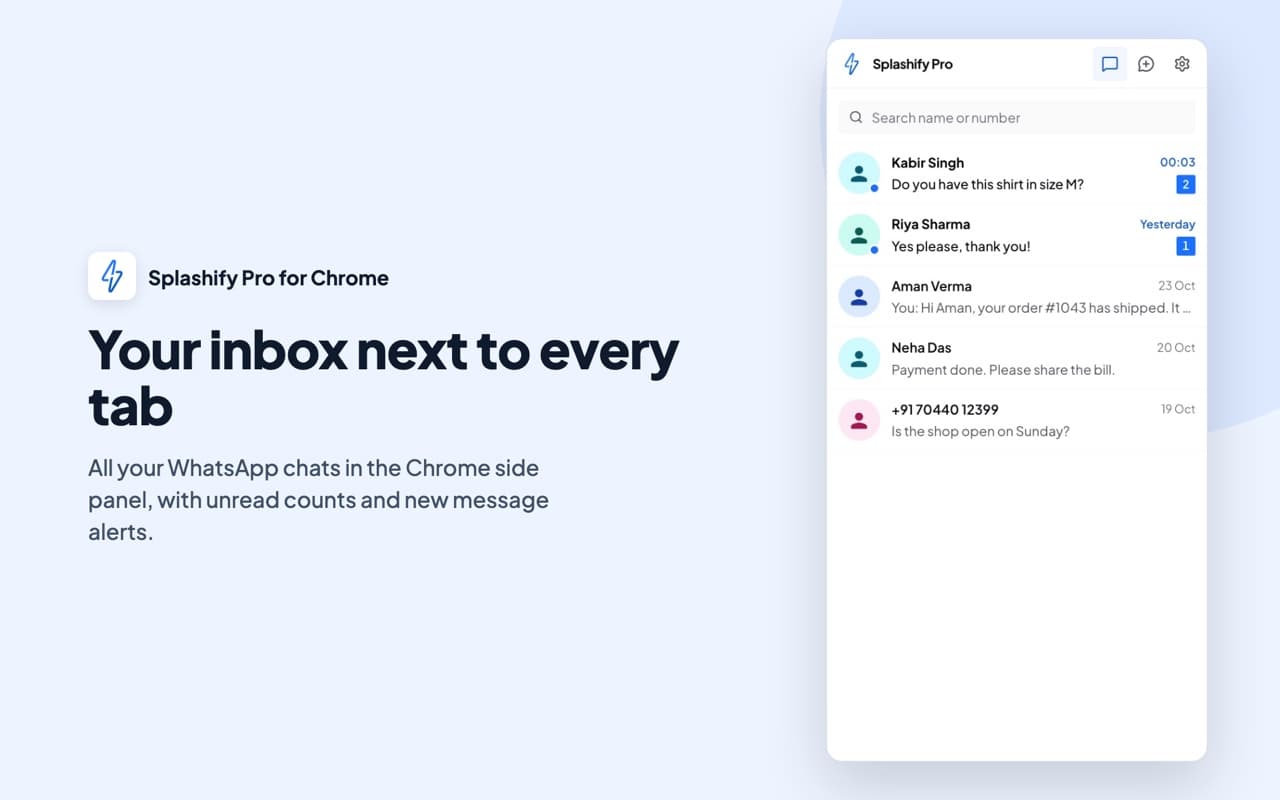
Your inbox next to every tab
- The unread count shows on the extension icon
- A notification for each new message
- Click a notification to open that chat
Replies
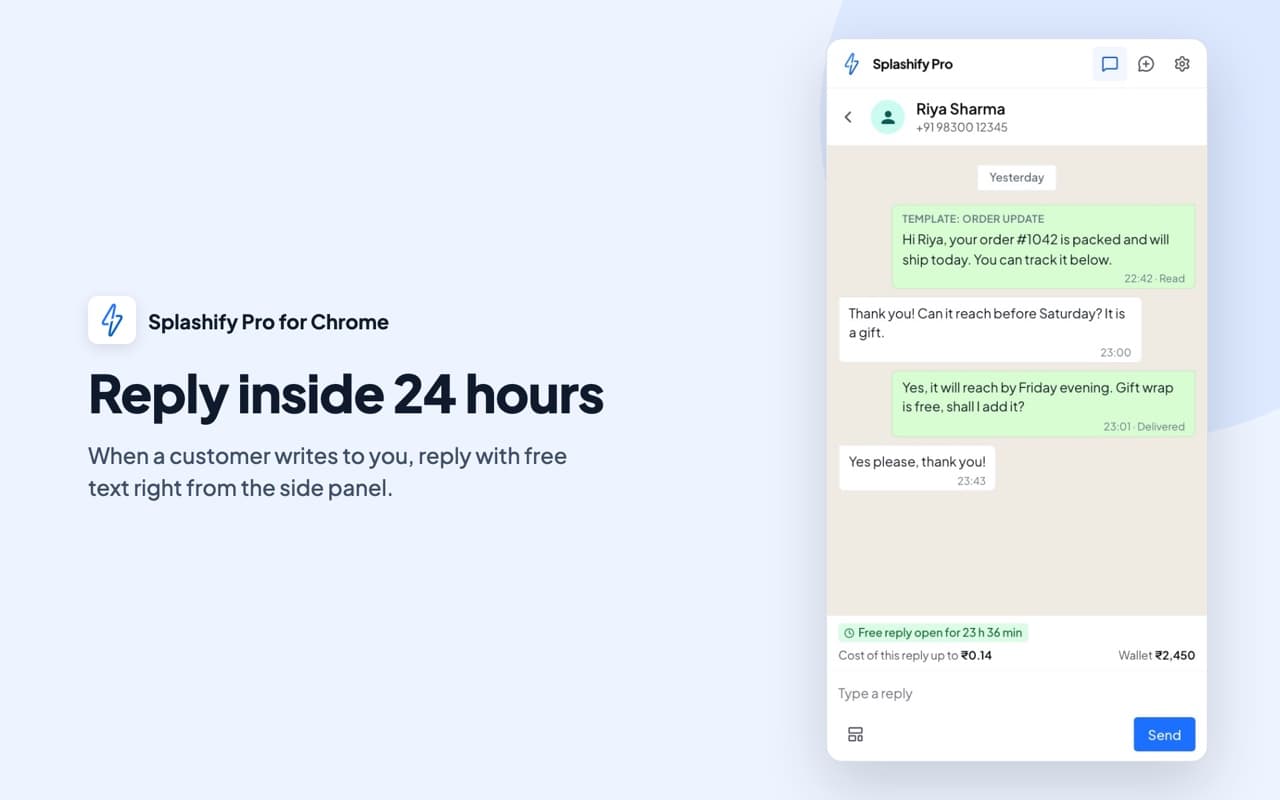
Reply inside 24 hours
- See how long you can still type your own reply
- The cost of each reply shows before you send
- Every message shows in your inbox in the app
Your account
Sign in with Splashify Pro
- Uses the account owner's login for now
- Sends from your own WhatsApp Business number
- Costs the same as sending from the app
Questions about the Chrome extension
The guide has every step, from adding it to Chrome to signing out.
Yes. The extension signs in with your Splashify Pro account and sends from your own WhatsApp Business number. New to Splashify Pro? Start the 7-day free trial and connect your number first.
Adding it to Chrome costs nothing. Messages you send with it cost the same as messages you send from the app and are paid from your wallet. The price of each message shows before you send it.
For now the extension signs in with the account owner's login. Sign-in for team members is coming soon.
When the person wrote to you in the last 24 hours. Outside those 24 hours, WhatsApp only allows an approved template. The side panel shows how long you can still type your own reply.
Chrome lets the extension read a page only after you click its icon or use its right-click menu on that page. Nothing from the page is saved. Only the phone numbers and email addresses found on it are sent to Splashify Pro, to find the customer in your own contacts and chats.
Google Chrome on a computer. It adds a right-click menu and a side panel to Chrome. Phones do not run Chrome extensions, so on a phone use the Splashify Pro app.
Click Sign out in the extension's settings. To stop it on another computer, open Settings in the app, then Developer Settings, and revoke Splashify Pro for Chrome under Access tokens.
The guide has every step, from adding it to Chrome to signing out.
Send WhatsApp from the page you are on.
- 7-day free trial
- No credit card
- Setup help on WhatsApp