
RCS messaging
Next-Gen SMS with RCS Rich Messaging
- 7-day free trial
- No credit card
- Setup help on WhatsApp
- Plans from ₹999/month + GST
RCS vs SMS
What your customer sees
Plain SMS
A code, some text and a bare link
- Today
- VM-ACMEBT: Diwali sale! Flat 30% off on kurtas & sarees till Sun. Shop now: acmebt.in/d30 T&C apply
Text message
10:00
- A number or a short code as the sender
- Plain text with a link to copy
- You learn if it was delivered, at best
RCS message
Your brand, a picture and buttons
- Today
- Acme Boutique: Diwali sale: 30% off. Kurtas and sarees, till Sunday. Pick yours before your size sells out. Buttons: Shop the sale, Call the store.
Verified business

Diwali sale: 30% off
Kurtas and sarees, till Sunday. Pick yours before your size sells out.
10:00
- Your name, logo and a verified badge
- A picture, a title and tappable buttons
- You see who read it and who tapped
Inside the app
See RCS in the app
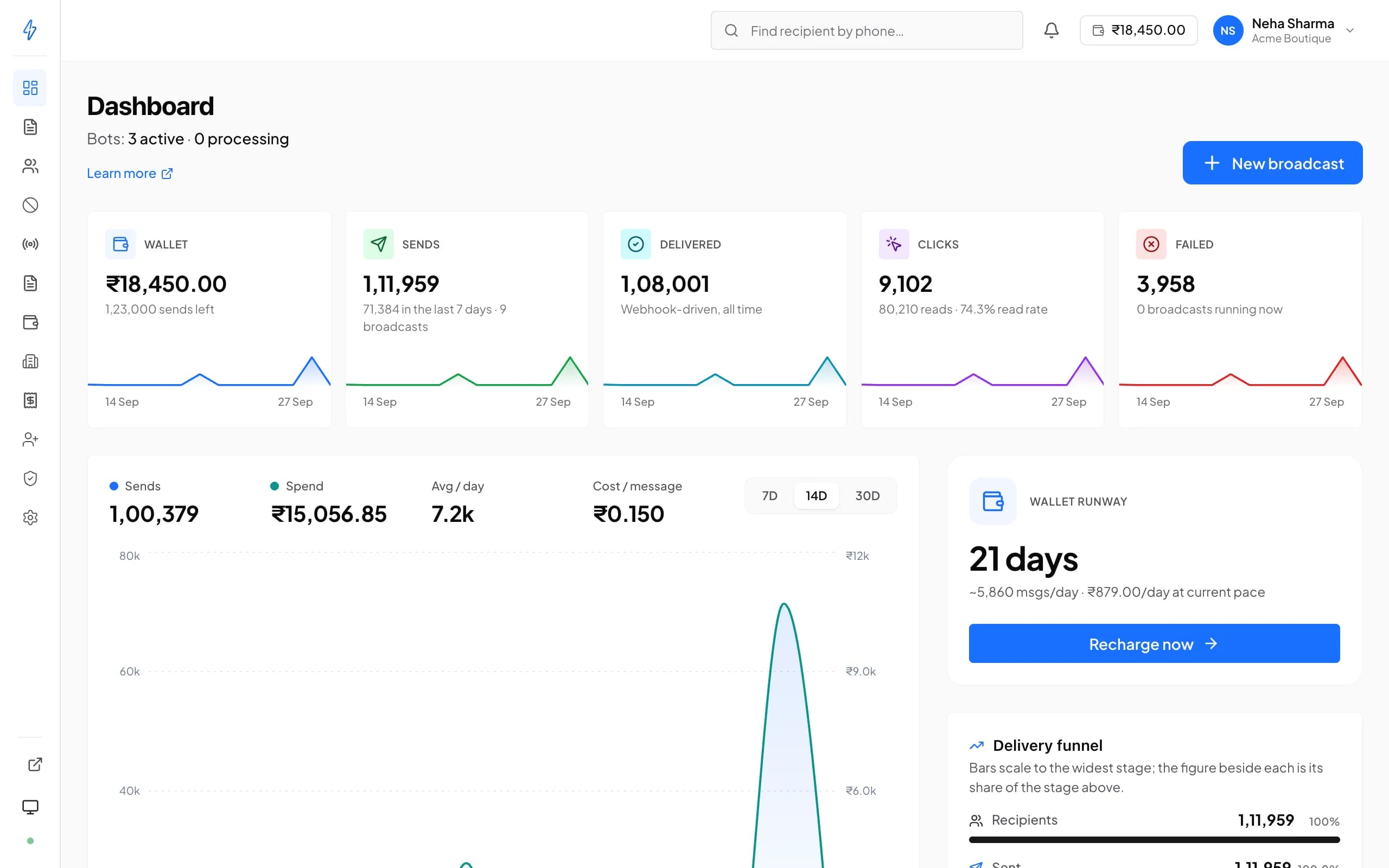
Click through the real screens, one by one. Every screenshot is Splashify Pro with sample data.
Wallet, sends, delivered and clicks, with daily spend and how long your balance lasts.
Click a number to see what it does, or use the arrow keys.
1 of 5
Wallet and sends left
Your balance and roughly how many messages it covers.
Plan your first RCS campaign with us
Start the 7-day free trial, or book a demo and we will walk you through the sender application.
Why RCS
The upgrade from SMS your customers can see
Trusted at a glance
Your verified name and logo sit at the top of the chat, so customers know it is really you and not a stranger.Tapped, not ignored
Pictures and buttons turn an offer into one tap to shop, call you or reply.Results you can see
Delivered, read and failed for every customer, with the reason for each failure, so you know who to follow up with.
RCS capabilities
Everything you need to grow with RCS
Rich cards and carousels
Pictures, offers and buttons in one message
- Rich cards with a picture or a video
- Carousels of 2 to 10 cards
- The customer's name or order number in every message
- Today
- Acme Boutique: New arrivals: festive kurtas. Fresh colours for the season, in sizes S to XXL. Buttons: See the collection, Talk to us.
- Customer: Sizes
- Acme Boutique: Every kurta comes in S to XXL. Tap See the collection to pick yours.
Verified business
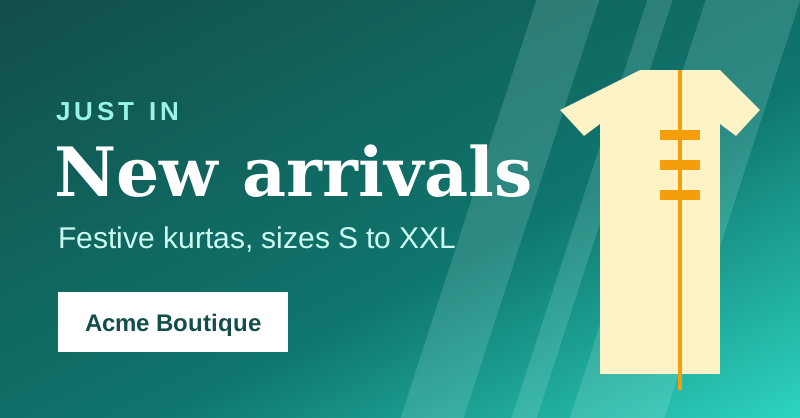
New arrivals: festive kurtas
Fresh colours for the season, in sizes S to XXL.
11:30
11:32
11:32
Buttons and replies
Buttons people tap, replies you can see
- Link, call and reply buttons
- STOP and START work on every sender
- Tap counts and keyword auto-replies in the RCS panel
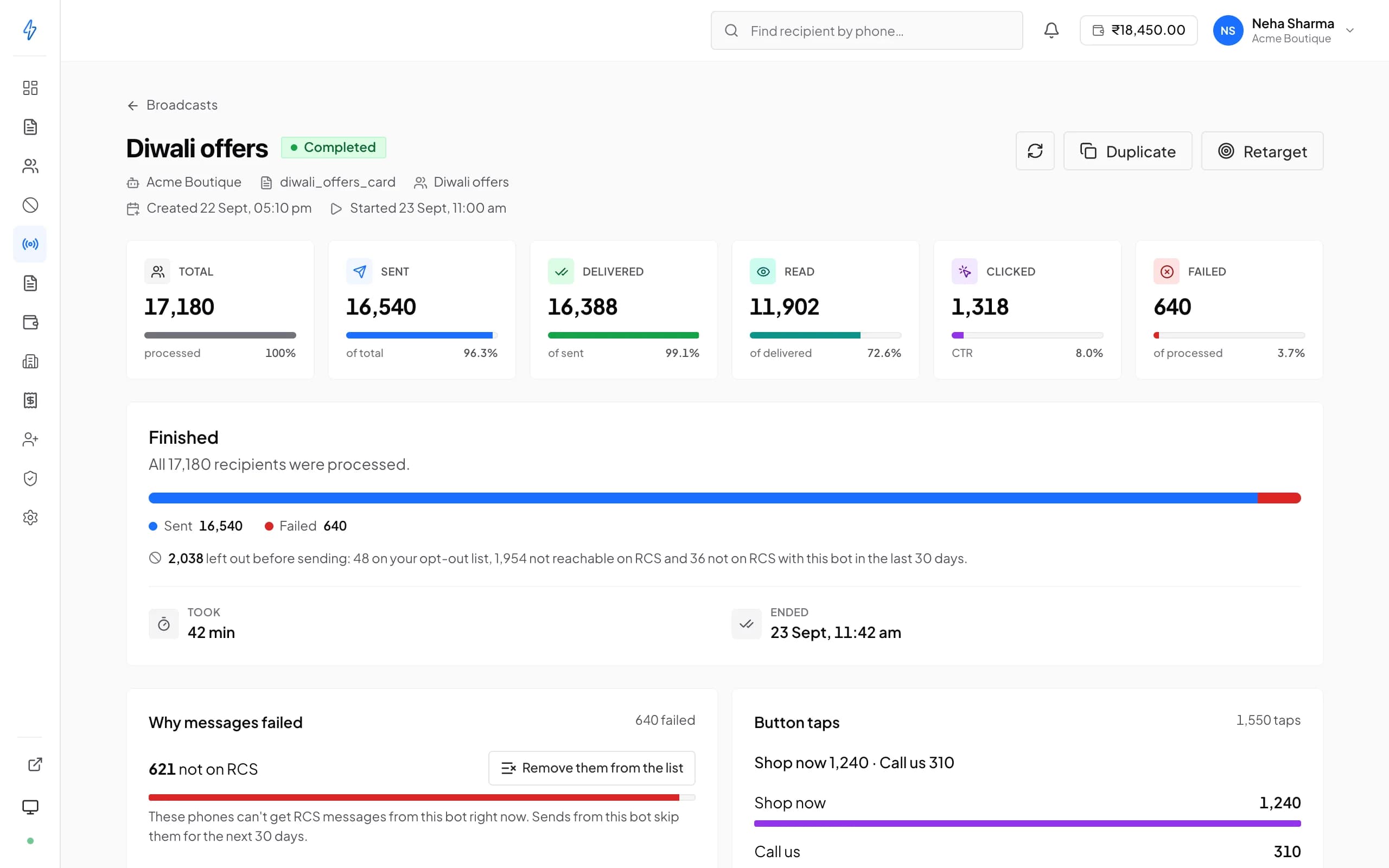
Broadcasts
Send to thousands, now or on a schedule
- Send now or schedule for later
- A new picture for each campaign, no new template needed
- In the RCS panel: recurring sends, A/B tests and follow-ups to people who clicked
RCS with WhatsApp
Reach people when WhatsApp fails
- RCS and SMS as fallbacks, in your order
- Its own approved template and variables
- WhatsApp, RCS and SMS templates in one library
New broadcast
Diwali offers
If WhatsApp fails
Only customers whose WhatsApp message failed get these, in this order.
- 1RCS
diwali_card
Rich card
- 2SMS
diwali_offer_sms
DLT template
Why Splashify Pro
Why run RCS on Splashify Pro
Help with your sender
Our team reviews your sender application before the networks do, and helps you on WhatsApp.Pay per message
Charged from your wallet per message. Refused messages are not charged and undelivered ones are refunded.Opt-outs handled
STOP and START work on every sender, so people who opt out never get another broadcast.One app for every channel
WhatsApp, RCS and SMS templates, broadcasts and reports in one place.
Go live on RCS in four steps
Apply for your sender on day one and build everything else while it is reviewed.
Step 1: Sign up
Create your account and tell us you want RCS. Our team turns it on for you.
Step 2: Apply for your sender
Add your brand name, logo, banner and business documents. The networks usually review it in 3 to 7 working days.
Step 3: Build your templates
Text, a rich card or a carousel, with a live phone preview. Each template is reviewed before you send.
Step 4: Send and track
Pick a list, send now or schedule it, and watch delivered and read fill in.
Frequently asked questions
Still have a question?
RCS (Rich Communication Services) is the messaging standard built into Google Messages on Android. It upgrades plain SMS to branded messages: your verified name and logo at the top, pictures, carousels and buttons, and delivered, read and click receipts on every message.
An SMS shows a number or a short code as the sender and carries plain text with a bare link. An RCS message shows your verified brand, carries pictures, carousels and buttons, and tells you who read it and who tapped. Customers can reply too, so it becomes a two-way chat.
Android phones with RCS turned on in Google Messages, on networks that support it. That is most, but not all, Android users on major Indian networks; iPhones on most Indian networks do not get it yet. Where number checks are available, you can see which numbers on your list can get RCS before you send, and reach the rest on WhatsApp or SMS.
RCS is charged per message from your wallet, at the price set for your sender, separate from WhatsApp. A message the network refuses is not charged, and one that is accepted but cannot be delivered is refunded automatically.
The application takes about 20 minutes if your documents are ready: your GSTIN, a live website with privacy, terms and contact pages, a support phone and email, your logo and a banner. The networks then review it, typically in 3 to 7 working days. You can build templates and contact lists while you wait.
The message fails with a clear reason and is refunded. It never goes out as an SMS on its own. In Splashify Pro, a WhatsApp broadcast can send RCS, SMS or both to the customers whose WhatsApp message failed, in the order you choose.
Yes, for promotional senders. The networks allow promotional RCS between 7:00 am and 10:00 pm IST. A campaign still running at 10:00 pm pauses by itself and carries on at 7:00 am. Transactional and OTP senders can send at any hour.
No. Your customers need only the messages app on their Android phone. On our side, RCS runs inside Splashify Pro next to WhatsApp, and businesses that send only RCS can use our standalone RCS panel.
Loans and credit, cryptocurrency, gaming, and betting or gambling are not allowed on RCS in India, however the message is worded.
Yes. Send only to people who agreed to hear from you; the app asks you to confirm it before every campaign. Anyone can reply STOP to stop your messages and START to get them again. Those two replies work on every sender and cannot be switched off.
Still have a question?
Send your next offer as a rich RCS message. Talk to us or start free today.
- 7-day free trial
- No credit card
- Setup help on WhatsApp