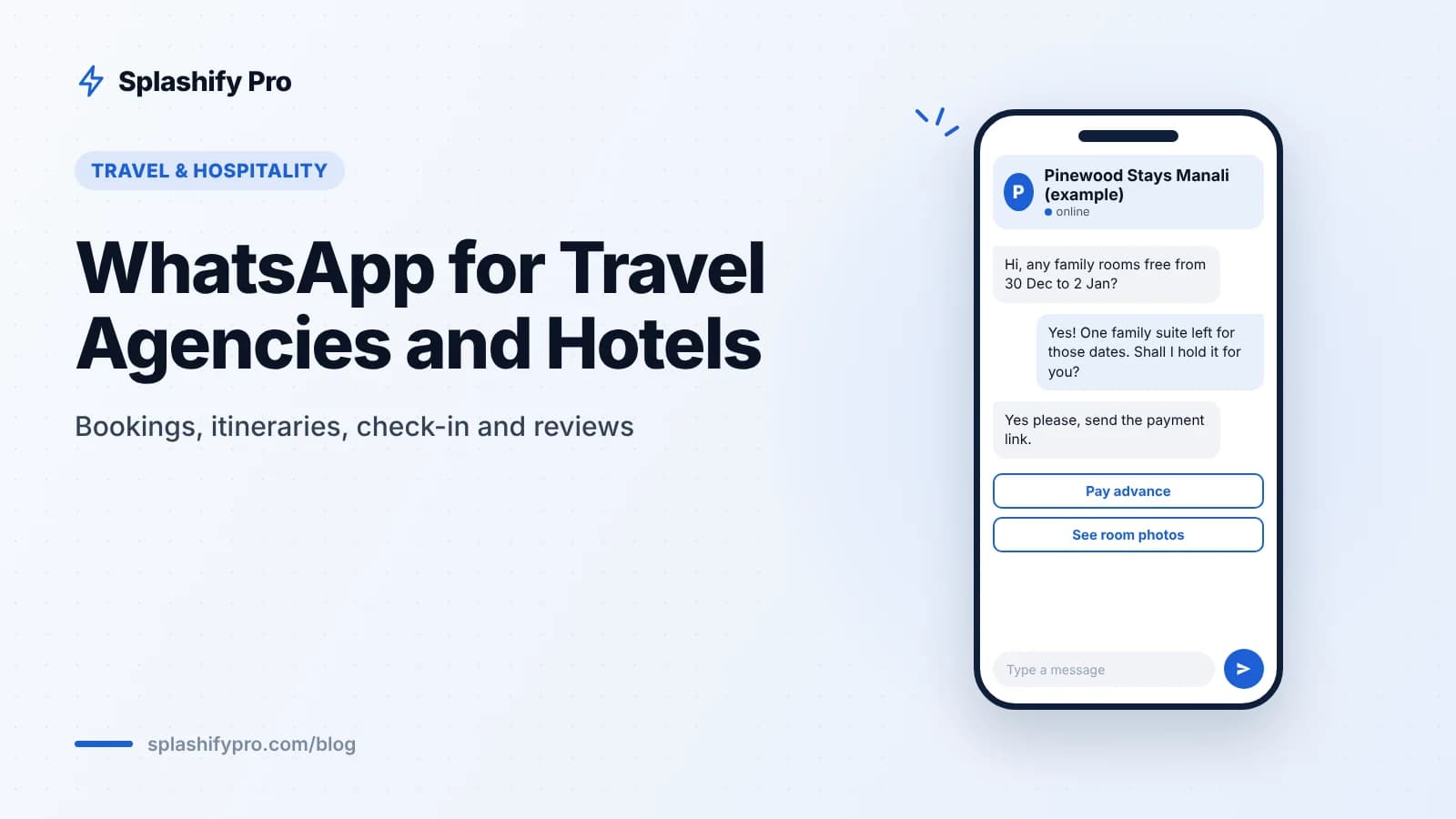
December is peak season for Indian travel. Families plan Goa, Kerala, Rajasthan and the hills around Christmas and New Year, and most of them want to ask questions, compare packages and confirm bookings on WhatsApp rather than fill in long forms. For travel agencies, hotels and homestays, a well-run WhatsApp setup turns that rush of enquiries into confirmed bookings, smooth check-ins and fresh reviews.
Why WhatsApp fits travel and hospitality
Travel is a high-touch purchase. Guests ask about room types, child policies, pickup times, weather and what is included. Answering these quickly is often the difference between a booking and a lost lead. The WhatsApp Business API helps you:
Reply to every enquiry from one shared team inbox, even when several agents are working the season
Send itineraries, vouchers and invoices as PDFs
Collect advance payments with payment links
Automate routine questions with a chatbot or AI agent
Send booking confirmations and pre-arrival reminders as utility templates
Capture winter and year-end holiday enquiries
The season's demand starts early. Many families book Christmas and New Year trips in October and November, and last-minute bookings continue into December.
Click-to-WhatsApp ads
Run Click-to-WhatsApp ads on Facebook and Instagram for packages like "3 nights in Manali over New Year". When a traveller starts a chat from the ad, the conversation entry point is free for 72 hours, so your team can send itineraries, prices and follow-ups without paying for each message in that window. Splashify Pro's AI lead scoring helps your team focus on the enquiries most likely to book.
Website, Google profile and QR codes
Add a WhatsApp button to your website and Google Business Profile, and a QR code at your front desk and on brochures. Each one should open a chat with a pre-filled message such as "Hi, I want to check New Year availability" so you know where the lead came from.
Qualify with a quick bot
Before a human picks up, a no-code chatbot flow can ask the basics: destination, dates, number of adults and children, and budget range. A list message works well here because it can offer up to 10 options in one tap. By the time your agent opens the chat, the brief is ready.
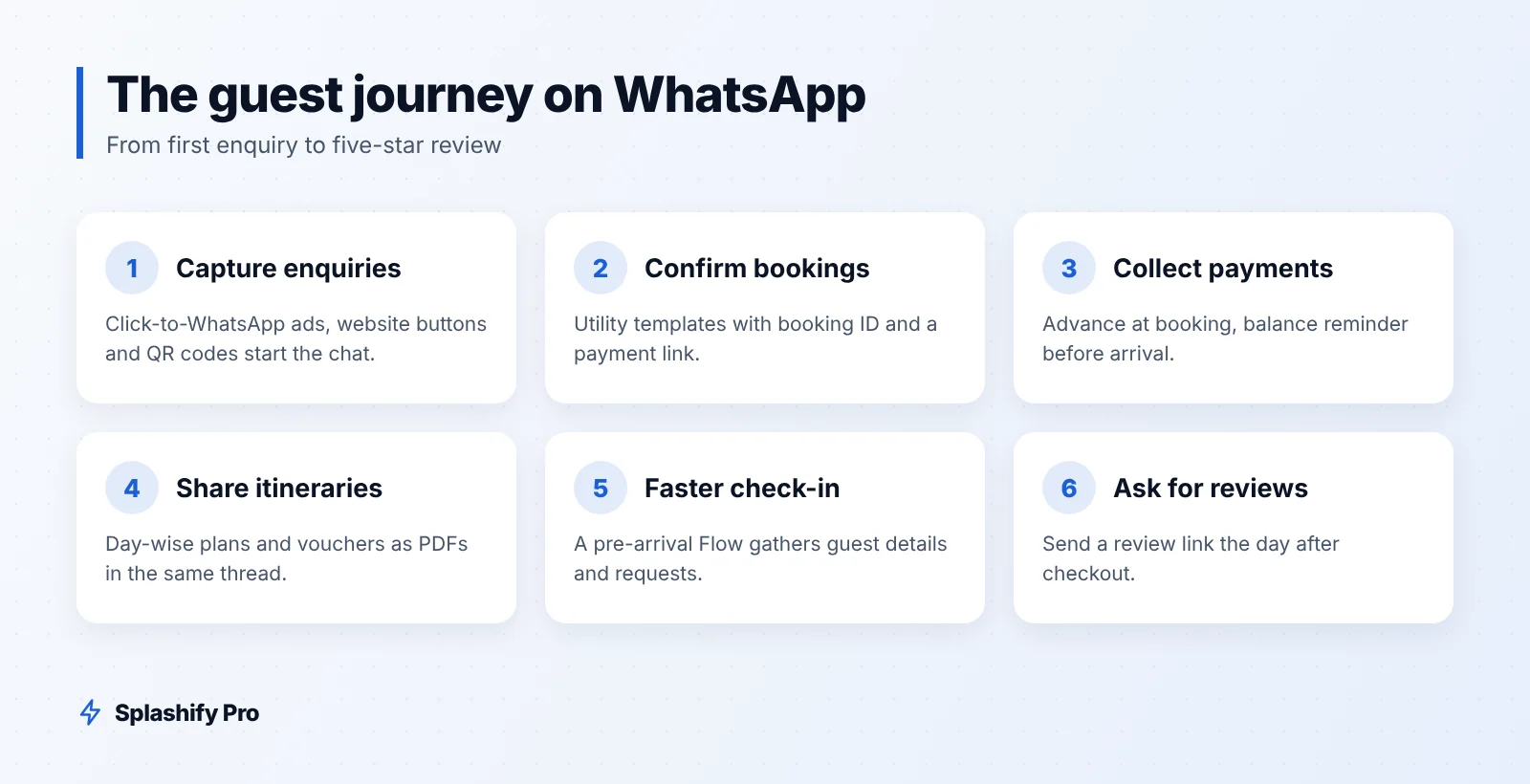
The guest journey on WhatsApp
Here is how the full journey maps to message types for a hypothetical Coorg homestay:
Stage | Message | Type |
|---|---|---|
Enquiry | Availability, room photos, rates | Free-form reply in the 24-hour window |
Booking | Confirmation with booking ID and payment link | Utility template |
Payment | Advance received, balance due date | Utility template |
Itinerary | Day-wise plan or travel voucher as PDF | Utility template |
Pre-arrival | Directions, check-in time, guest details Flow | Utility template |
During stay | Room service, local tips, help requests | Free-form replies |
After checkout | Thank you and review request | Utility or marketing, depending on content |
Next season | Offers for returning guests | Marketing template |
Itineraries and booking confirmations
Once a booking is confirmed, send a utility template with the key details and attach the itinerary as a PDF. For tour operators, a day-wise itinerary on WhatsApp is easier for travellers to find than an email attachment. A simple confirmation template:
Hi {{1}}, your booking {{2}} at {{3}} is confirmed for {{4}} to {{5}}. Your itinerary is attached. Reply here if you need any changes.
Add quick-reply buttons like "Add airport pickup" or "Talk to us" so changes come back into the same thread.
Payment links and balance reminders
Most Indian travel businesses take an advance at booking and the balance before arrival. Send a payment link inside the booking message, and a reminder a few days before the balance is due. UPI links make paying from the phone quick; see our guide to WhatsApp Pay and UPI in India.
Keep payment reminders transactional. A reminder that also promotes a spa package is likely to be categorised as marketing, which costs more per message.
Smooth check-in with WhatsApp Flows
Front desks get busy on 24 and 31 December. Move paperwork out of the lobby with a pre-arrival WhatsApp Flow sent two or three days before arrival. The Flow can collect:
Names of all guests and expected arrival time
Special requests: early check-in, extra bed, dietary needs
Transport preferences and pickup point
Any guest registration details your property is required to collect
Only collect what you need, and store ID documents in your property management system rather than in chat threads. On arrival, the guest just confirms and gets the key.
Reviews and repeat bookings
A review request sent while the trip is fresh tends to get a better response than one sent weeks later. Send it the day after checkout with a direct link to your Google or OTA review page. Keep it short:
Hi {{1}}, thank you for staying with us at {{2}}. We hope you enjoyed your trip. Could you share a quick review? It helps other travellers find us.
If a guest replies with a complaint, route it to a manager in the shared inbox before asking for a public review. Later, use tags like "New Year 2026 guest" or "family with kids" to send relevant offers for the next season, with clear opt-in for marketing messages. Our re-engagement campaigns guide covers how to win back past guests.
What it costs during peak season
India rates from 1 October 2026, before 18% GST: utility ₹0.115 and marketing ₹0.8631 per delivered message. Free-form replies inside the 24-hour window are free for the first 1,000 per number per month, then ₹0.115 each. For a hypothetical 30-room Goa hotel handling 600 bookings in December with four utility messages each (confirmation, payment, pre-arrival, review), that is 2,400 × ₹0.115 = ₹276 before GST.
Frequently asked questions
Can a small homestay use the WhatsApp Business API?
Yes. The API suits any business that needs multiple agents, automation or templates. If you only handle a few chats a day, the free WhatsApp Business app may be enough to start.
Can we send itineraries and vouchers as PDFs?
Yes. You can attach documents to utility templates or send them as replies inside an open conversation.
How do we handle New Year rush enquiries at night?
Use a chatbot or AI agent to answer availability and pricing questions, collect trip details and hand off to your team in the morning.
Are review requests marketing messages?
A plain request for feedback on a completed stay may be accepted as utility, but anything with offers or discounts will be marketing. Meta decides the category at approval.
The bottom line
The winter and year-end season rewards travel businesses that answer fast and stay organised. Put enquiries, confirmations, payments, check-in and reviews on WhatsApp, and your team spends the season serving guests instead of chasing paperwork. Start your 7-day free trial of Splashify Pro today, no credit card needed, or book a demo to set up your booking flows before December.
- #homestay booking whatsapp
- #hotel check-in automation
- #travel itinerary whatsapp
- #whatsapp for hotels
- #whatsapp for travel agencies