WhatsApp has over 2.7 billion users, and businesses send billions of messages on it every day. But once you grow past a single person answering chats on a phone, the free WhatsApp Business app hits a wall. That's where the WhatsApp Business API comes in — the engine behind every business sending broadcasts, running chatbots, and managing thousands of conversations on WhatsApp.
This guide explains what the WhatsApp Business API is, how it differs from the regular app, what's changed in 2026, what it costs, and exactly how to get set up.
What is the WhatsApp Business API?
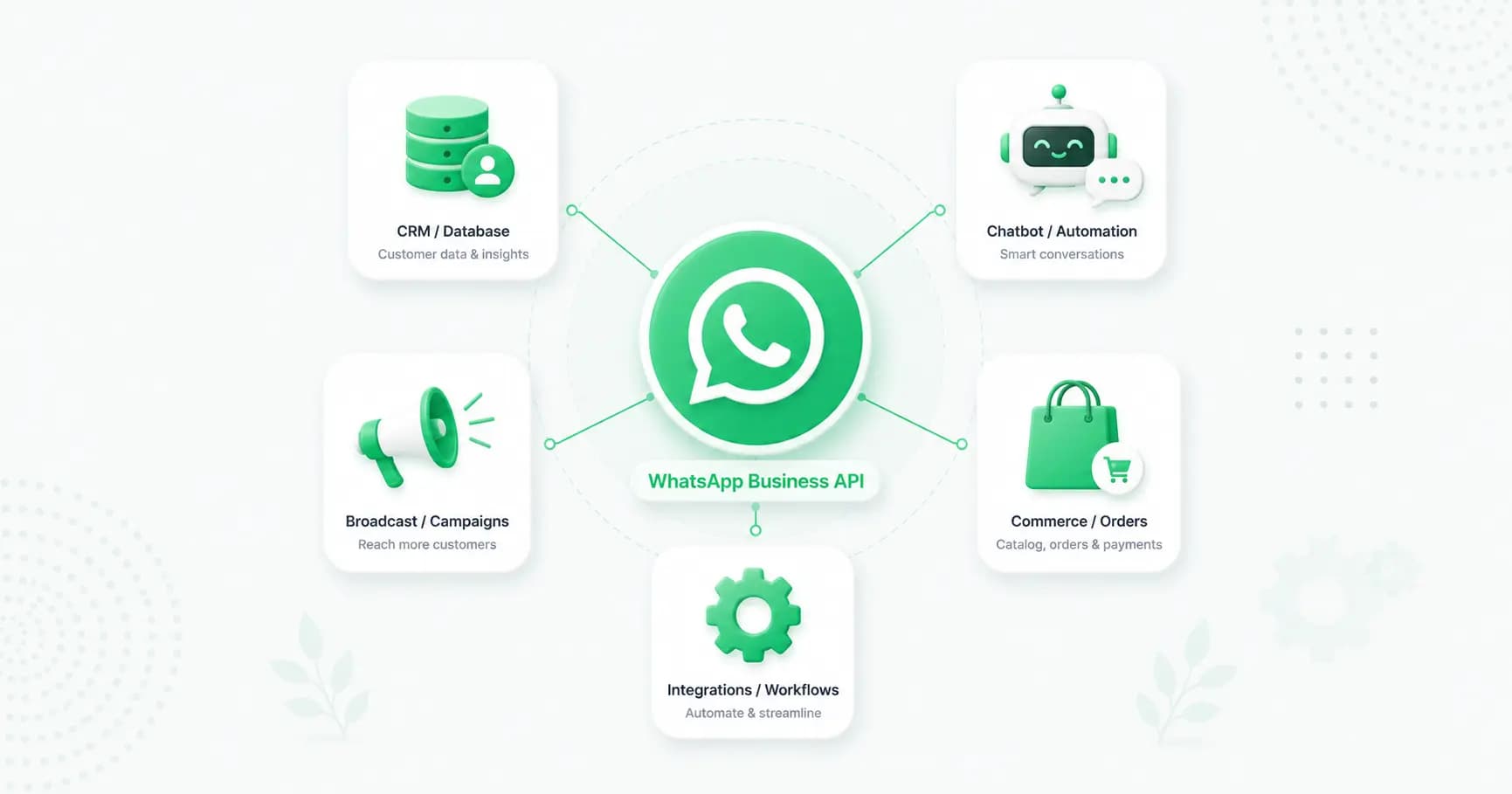
The WhatsApp Business API (officially the WhatsApp Business Platform) is the way medium and large businesses connect WhatsApp to their own software to send and receive messages at scale. Unlike the consumer app, the API has no chat screen of its own — instead, you connect it to a platform or build your own software, then use it to broadcast campaigns, run automated chatbots, manage a shared team inbox, and integrate WhatsApp with your CRM, store and other tools.
In short: the WhatsApp Business app is something you use on a phone; the WhatsApp Business API is something you plug into your business systems.
WhatsApp Business API vs the app vs regular WhatsApp
There are three versions of WhatsApp, and the differences matter:
- Regular WhatsApp — for personal use. One account, no business features.
- WhatsApp Business app — free, built for small businesses. You get a catalog, quick replies, labels and away messages, but broadcasts are capped at 256 saved contacts, there's no real automation, and only a handful of linked devices. Great for a solo owner, not a team.
- WhatsApp Business API — built for scale. No 256 cap, full automation and chatbots, a multi-agent team inbox, integrations, green tick eligibility, and the ability to send to thousands of opted-in customers. It has a per-message cost and needs a platform to use it.
If you're a one-person shop, the app is fine. The moment you need automation, multiple agents, or to message more than a couple hundred people, you need the API.
Cloud API vs On-Premise API: what changed in 2026
This is the biggest recent change, and it's where outdated guides go wrong. The WhatsApp Business API used to come in two flavours: the Cloud API (hosted by Meta) and the On-Premise API (hosted on your own servers).
The On-Premise API was officially sunset on 23 October 2025. The Cloud API is now the only supported version, and all new features ship to it. What that means for you:
- Meta hosts everything — no servers to set up, no maintenance, no DevOps team. Meta handles the infrastructure.
- It scales effortlessly — the Cloud API handles up to 500 messages per second, enough for the largest festive-season campaigns.
- You own your account — under the current model you own your own WhatsApp Business Account (WABA); the old "on-behalf-of" model where providers held your account is gone.
So in 2026, "getting the WhatsApp API" means getting the Cloud API — there's no decision to make there anymore.
What can you do with the WhatsApp Business API?
The API unlocks everything the app can't:
- Broadcast campaigns to thousands of opted-in customers (no 256 cap).
- Automated chatbots that answer FAQs, qualify leads and book appointments 24/7.
- A shared team inbox so multiple agents handle one number with assignment and routing.
- Order and transactional notifications — confirmations, shipping updates, OTPs, reminders.
- Abandoned cart recovery and drip campaigns triggered automatically.
- Click-to-WhatsApp ads that open a chat straight from a Facebook or Instagram ad.
- Payments and a catalog to sell directly in chat.
- Integrations with your CRM, Shopify, WooCommerce, Zapier and more.
(We cover several of these in depth — see our guides on sending WhatsApp broadcasts, the WhatsApp shared team inbox, and selling on WhatsApp.)
How the WhatsApp Business API works
A few core concepts run the whole platform:
- WhatsApp Business Account (WABA) — your business's account that holds your phone numbers, templates and settings.
- Message templates — any message you start outside a 24-hour window must use a pre-approved template, categorised as marketing, utility or authentication.
- The 24-hour service window — once a customer messages you, you can reply freely for 24 hours. Outside that window, you need a template.
- Opt-in — you can only message customers who've given consent. This keeps your account healthy and compliant.
- Quality rating and messaging tiers — Meta scores your account quality and starts new numbers with a limit on how many new customers you can message per day. As you send well and verify your business, you climb the tiers (typically 250 → 1,000 → 10,000 → 100,000 → unlimited).
Get these right — especially opt-in and quality — and your account scales smoothly. Get them wrong and you risk restrictions (more on that below).
Coexistence: use the app and the API together
Here's a 2026 feature that solves an old headache. Coexistence lets you use the WhatsApp Business app and the Cloud API on the same number at the same time. Messages mirror between the two — anything sent from the app shows up in the API, and vice versa.
That means you no longer have to choose between "keep using the app" and "move to the API." You can keep answering one-to-one chats on your phone while your platform handles broadcasts, automation and a team inbox on the same number — with no migration and no new number.
A few things to know: Coexistence is enabled through a provider via Embedded Signup, it requires an active number with real chat history (not a brand-new one), you need to open the app at least once every 14 days, and your verified badge may briefly disappear during activation before returning.
How much does the WhatsApp Business API cost?
There's no fee to access the API. You pay for two things: a per-message charge to Meta (based on message category and country), and usually a platform subscription to your provider.
Since July 2025, Meta bills per delivered template message (not per 24-hour conversation). In India, marketing messages cost around ₹0.86 each, utility and authentication are far cheaper, and service replies within the 24-hour window are free. Conversations started from a Click-to-WhatsApp ad are free for 72 hours.
For the full breakdown, see our WhatsApp Business API pricing guide, or estimate your own bill with our WhatsApp pricing calculator.
How to get the WhatsApp Business API
There are two routes:
1. Directly through Meta (self-serve). You can connect to the Cloud API yourself — but Meta only gives you the raw API, not a complete platform. You'd need to build your own webhook infrastructure, template management, contact handling and integrations. This is a multi-month engineering project, suitable only for businesses with developers and specific needs.
2. Through a provider (BSP) — the practical choice for most businesses. A WhatsApp Business Solution Provider connects you to the Cloud API via Meta's Embedded Signup flow and gives you a ready-made platform: a team inbox, broadcast tools, a chatbot builder, templates, analytics and integrations. You're live in hours, not months.
The typical setup steps with a provider:
- Create a Meta Business Account and complete business verification (submit your business documents).
- Connect via Embedded Signup — verify your business and register a phone number (one not already on WhatsApp, or use Coexistence for an existing app number).
- Get your display name approved so your brand shows instead of a number.
- Create and submit your message templates for approval.
- Go live — start broadcasting, automating and managing chats.
Choosing a provider matters — see our comparison of the best WhatsApp Business API providers in India.
Getting verified: the green tick
Many businesses on the API want the green tick (now becoming a blue tick) — the verified badge that shows your business name in chats and builds trust. It's a separate Meta review on top of your API setup, available via a free notability route or the paid Meta Verified subscription. We cover the full process in our guide to getting the WhatsApp green tick.
Staying compliant (and avoiding bans)
The API is far safer than unofficial bulk-sender tools, but you still need to follow the rules:
- Only message opted-in customers, and make opting out easy.
- Keep your quality rating healthy — too many blocks or reports lowers it and throttles your sending.
- Use the right template category and don't mislabel marketing as utility.
- Build AI chatbots around concrete tasks. As of 2026, Meta requires bots to perform specific business functions (support, product advice, booking) — open-ended "I'm your AI friend" style chats aren't allowed.
If your account does get restricted, our guide on recovering a banned WhatsApp account walks through the appeal process.
How Splashify Pro gives you the API and a full platform
Meta gives you the API; Splashify Pro gives you everything you need to actually use it. As a Meta Business Partner, it connects you to the Cloud API via Embedded Signup and adds an AI chatbot and visual flow builder, broadcasts, a shared team inbox, Click-to-WhatsApp ads, a store and payments, plus Instagram and RCS — all from one INR-native dashboard, live in 1–2 hours. You get business verification help, display-name approval and green-tick support included.
Frequently asked questions
What is the WhatsApp Business API?
It's the WhatsApp Business Platform that lets medium and large businesses connect WhatsApp to their own software to message customers at scale — with broadcasts, chatbots, a team inbox and integrations. Unlike the app, it has no chat screen of its own; you connect it to a platform.
What's the difference between the WhatsApp Business app and the API?
The app is free and built for small businesses with basic tools but a 256-contact broadcast cap and no real automation. The API has no cap, supports automation, chatbots, a multi-agent inbox and integrations, and is the only compliant way to message at scale — but it has a per-message cost and needs a platform.
Is the WhatsApp Business API free?
Accessing the API is free, but you pay Meta a per-message charge for business-initiated template messages, plus (usually) a platform subscription. Service replies within the 24-hour window are free.
What is the WhatsApp Cloud API?
The Cloud API is Meta's cloud-hosted version of the WhatsApp Business Platform — Meta runs the servers, so there's nothing to host or maintain. Since the On-Premise API was sunset in October 2025, the Cloud API is the only supported version.
How do I get the WhatsApp Business API?
Either connect directly through Meta's self-serve Cloud API (a multi-month project needing developers) or, more practically, through a provider that uses Embedded Signup and gives you a ready-made platform. You'll need a Meta Business Account, business verification, a phone number, and approved templates.
How long does it take to set up the WhatsApp Business API?
Through a provider, most businesses are live within one to two hours, plus the time for business verification and template approval. Building directly with Meta takes much longer.
Can I use the WhatsApp Business app and the API on the same number?
Yes — a 2026 feature called Coexistence lets you run both on the same number, with messages mirrored between them. It's enabled through a provider and requires an active number with real chat history.
Do I need the WhatsApp Business API to send bulk messages?
Yes, if you want to do it safely and at scale. The free app caps broadcasts at 256 saved contacts, and unofficial bulk-sender tools get numbers banned. The API is the only compliant way to message thousands.
The bottom line
The WhatsApp Business API is how serious businesses turn WhatsApp into a real growth channel — broadcasts, chatbots, a team inbox and integrations, all at scale. In 2026 it's simpler than ever: the Cloud API is the single standard, Coexistence lets you keep your app, and a good provider gets you live in hours. Get your opt-in, templates and quality right, and WhatsApp becomes one of your highest-performing channels.
Get the WhatsApp Business API with Splashify Pro → — Cloud API, AI chatbot, broadcasts and a shared inbox in one INR-native platform. Live in 1–2 hours, free for 14 days. Or explore the WhatsApp API.
- #how to get whatsapp api
- #what is whatsapp business api
- #whatsapp business api
- #whatsapp business api guide
- #whatsapp business platform
- #whatsapp cloud api