Cash on delivery is still how a large share of Indian shoppers prefer to pay, and it comes with a painful side effect: return to origin (RTO). Orders placed on impulse, wrong addresses and unreachable customers all come back, and you pay shipping both ways. A simple WhatsApp confirmation flow, sent the moment a COD order is placed, catches most of these problems before the parcel ever leaves your warehouse.
Why COD orders turn into RTO
Most RTO is not a logistics failure. It starts at checkout:
Impulse or fake orders: the buyer never really intended to pay, or a competitor or prankster placed the order.
Wrong or incomplete addresses: missing landmark, wrong pin code, no flat number.
Changed minds: the customer found it cheaper elsewhere or forgot they ordered.
Unreachable customers: the courier calls, nobody answers, the parcel goes back.
No cash at the door: the customer is not ready to pay when the parcel arrives.
Each of these can be caught, or at least flagged, by asking the customer one clear question on WhatsApp before you ship: "Do you still want this order?"
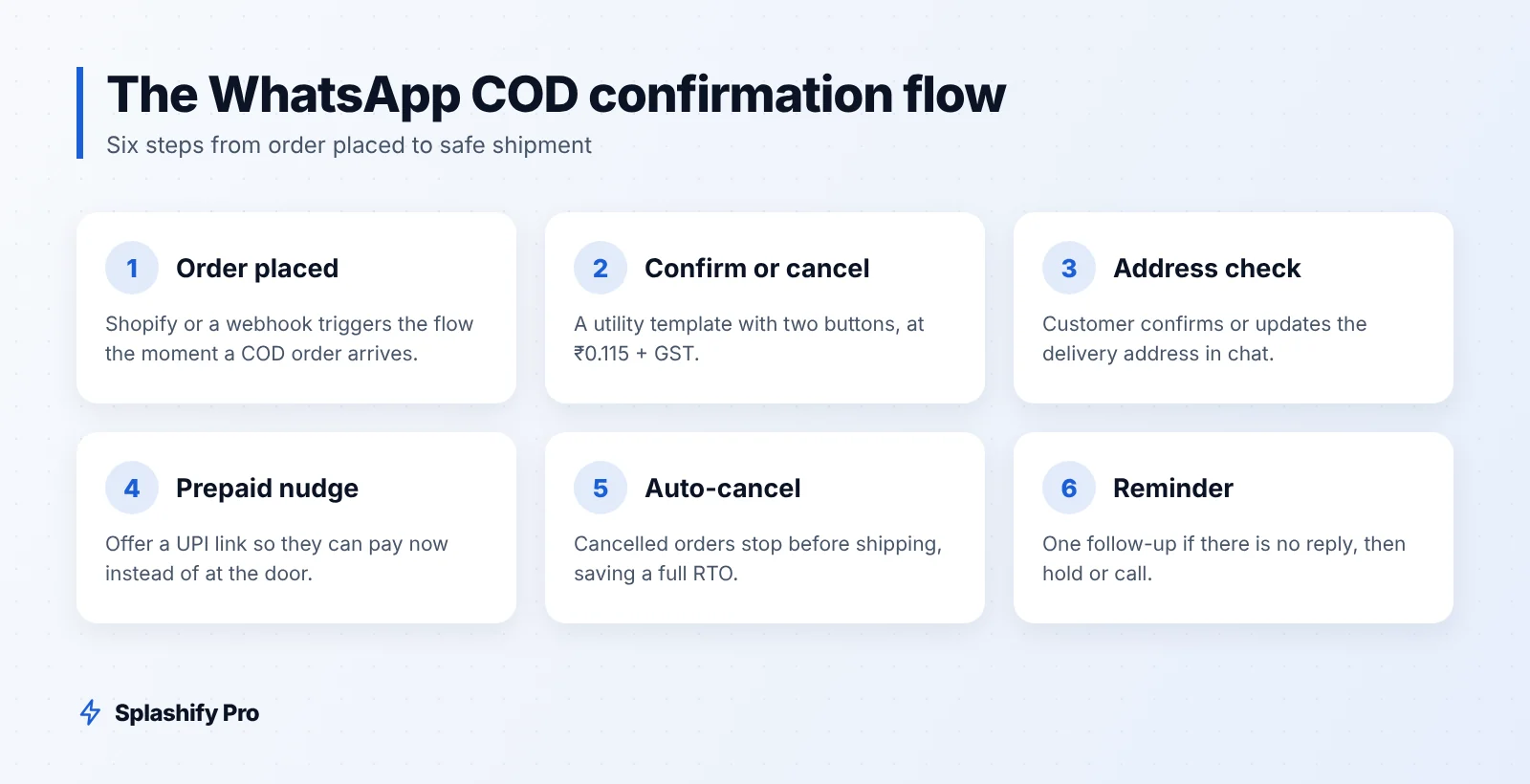
The COD confirmation flow
Order placed: your store (for example Shopify, through the Shopify integration) or a webhook triggers the flow.
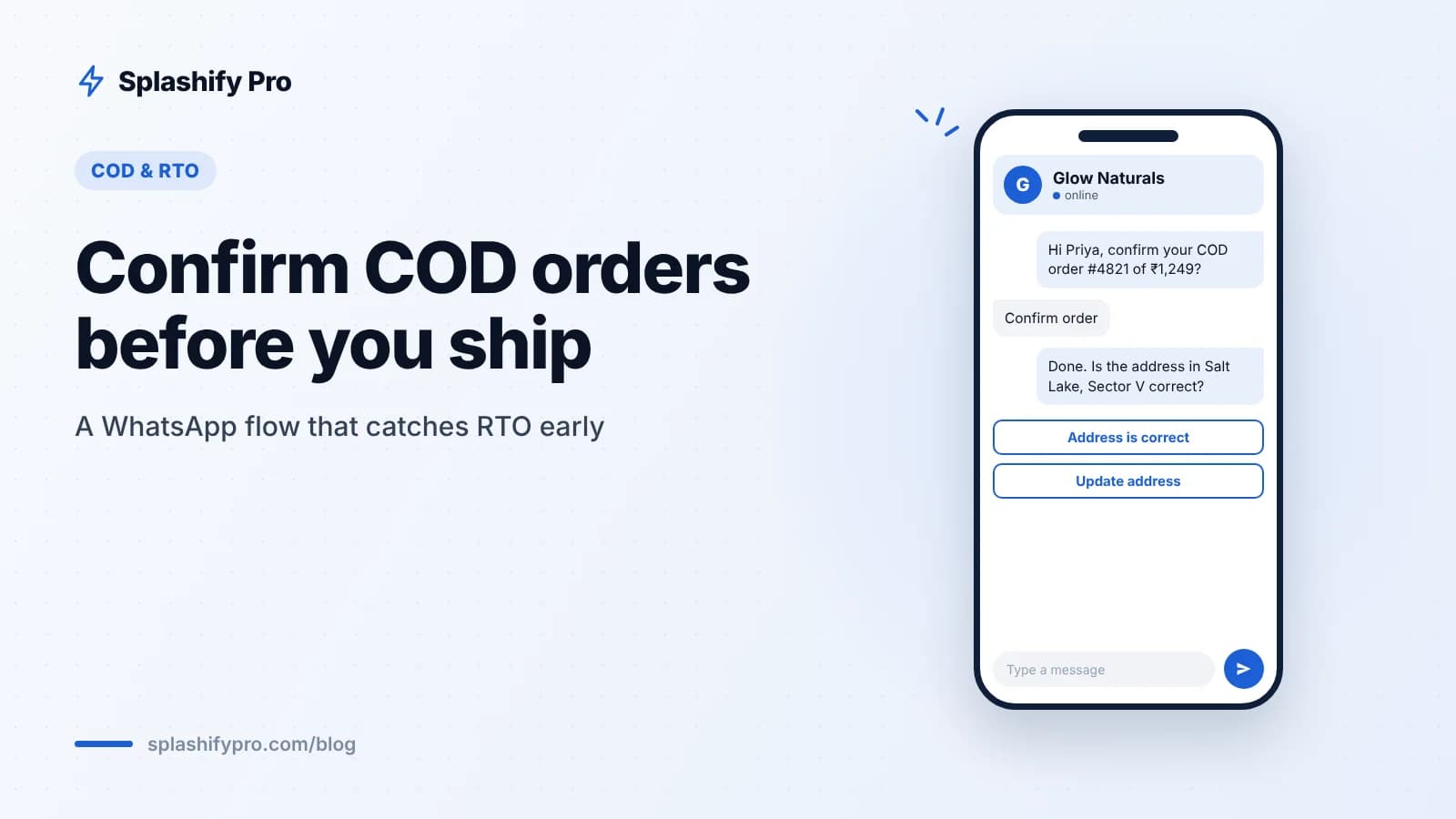
Confirmation message: a utility template with the order summary and two quick-reply buttons, Confirm order and Cancel order.
Confirm tapped: tag the order as confirmed, send a short reply asking the customer to check the delivery address.
Address check: the customer taps "Address is correct" or "Update address". Updates go to your team or to a WhatsApp Flow form.
Prepaid nudge: offer an optional UPI payment link so the customer can pay now instead of at the door.
Cancel tapped: cancel the order automatically, restock and stop the shipment. You just saved a full RTO.
No reply: send one reminder after a few hours. If there is still no response, hold the order or call the customer before shipping.
Everything runs on the WhatsApp API with buttons and tags, so your team only touches the orders that need a human.
Template examples
Keep confirmation templates strictly about the order. If you add discounts or promotions to them, Meta may treat them as marketing, which costs more. Variables are written as {{1}}, {{2}} and so on.
1. COD order confirmation (utility)
Hi {{1}}, thanks for your order {{2}} of {{3}} worth ₹{{4}} with Cash on Delivery. Delivery address: {{5}}. Please confirm so we can ship it.
Buttons: Confirm order, Cancel order.
2. Reminder (utility)
Hi {{1}}, your COD order {{2}} is waiting for confirmation. We will ship it as soon as you confirm. Tap below to confirm or cancel.
Buttons: Confirm order, Cancel order.
3. Address check (free-form reply inside the 24-hour window)
Thanks, your order is confirmed. Please check the delivery address: [address]. Is it correct?
Buttons: Address is correct, Update address.
4. Prepaid nudge (free-form reply inside the window)
Want faster, contactless delivery? Pay now by UPI and skip handing cash to the courier. [payment link]. You can also pay on delivery as planned.
Once the customer has tapped a button, a 24-hour customer service window is open, so the address check and prepaid nudge can go as interactive free-form messages instead of new templates. See WhatsApp interactive messages for button and list formats, and UPI payments on WhatsApp for collecting payment.
Cost math: what confirmation costs from October 2026
From 1 October 2026, Meta's India rates (before 18% GST) are:
Message | Type | Rate per delivered message |
|---|---|---|
COD confirmation template | Utility | ₹0.115 |
Reminder template (if no reply) | Utility | ₹0.115 |
Address check, prepaid nudge (after customer replies) | Service | Free for the first 1,000 per number per month, then ₹0.115 |
Any promotional add-on | Marketing | ₹0.8631 |
A worked example for 1,000 COD orders in a month:
1,000 confirmation templates: 1,000 × ₹0.115 = ₹115.
Say 300 need a reminder: 300 × ₹0.115 = ₹34.50.
Follow-up replies after customers tap a button are service messages; the first 1,000 per number each month are free.
Total: about ₹149.50 + 18% GST, roughly ₹176.
Now compare that with what a single RTO costs you: forward shipping, return shipping, packaging and the stock locked up for a week or two. Use your own courier numbers here, but for most brands, preventing even one or two RTOs a month covers the entire confirmation cost. Two things to remember: utility templates sent inside an already-open window are billed again from 1 October 2026, and failed messages are not charged on Splashify Pro. Check the full 2026 pricing guide for details.
Best practices
Send immediately. The customer is most engaged right after ordering.
Do not ship unconfirmed high-value orders. Set a value threshold above which confirmation is required.
Tag everything. Confirmed, cancelled, address updated, no response. These tags help you spot risky pin codes and repeat offenders in your CRM.
Keep it short. One message, two buttons. Do not ask for a typed "YES".
Collect opt-in at checkout. A WhatsApp updates checkbox keeps you on the right side of Meta's policy.
Get the template approved first. Most templates are approved within 24 hours. If yours is rejected, our list of common template rejection reasons will help.
Send shipping and delivery updates too. Customers who know when the parcel arrives are more likely to be home with cash ready.
Frequently asked questions
Is a COD confirmation message utility or marketing?
A message that only confirms a specific order the customer placed is normally a utility template. Adding offers, discount codes or product recommendations can push it into the marketing category.
What if the customer does not reply?
Send one reminder. If there is still no reply, either hold the order, call the customer, or ship only low-value orders. Decide your rule based on your own RTO data.
Can I offer a discount for switching to prepaid?
Yes, but keep it out of the confirmation template. Send it as a free-form message after the customer replies, while the service window is open.
Does this work with Shopify?
Yes. New COD orders from Shopify can trigger the confirmation automatically, and button replies can update order tags.
The bottom line
A COD confirmation flow costs a few paise per order and catches fake orders, wrong addresses and changed minds before you pay to ship them. Keep the template transactional, use buttons, check the address and offer a prepaid option once the customer replies. Splashify Pro gives you the WhatsApp API, Shopify integration, chatbot flows and CRM tags to set this up without code, with plans from ₹999/month + GST. Start your 7-day free trial (no credit card) or book a demo.
- #cash on delivery india
- #cod confirmation
- #reduce rto
- #shopify cod
- #whatsapp order confirmation