Most leads don't buy on the first message. They need a reminder, an answer to a doubt, a bit of proof and sometimes a nudge. Sales teams know this — but manually following up with hundreds of leads over a week never happens consistently.
A WhatsApp drip campaign automates it. You plan the sequence once, and every new lead gets the right message at the right time, until they convert or opt out.
What is a WhatsApp drip campaign?
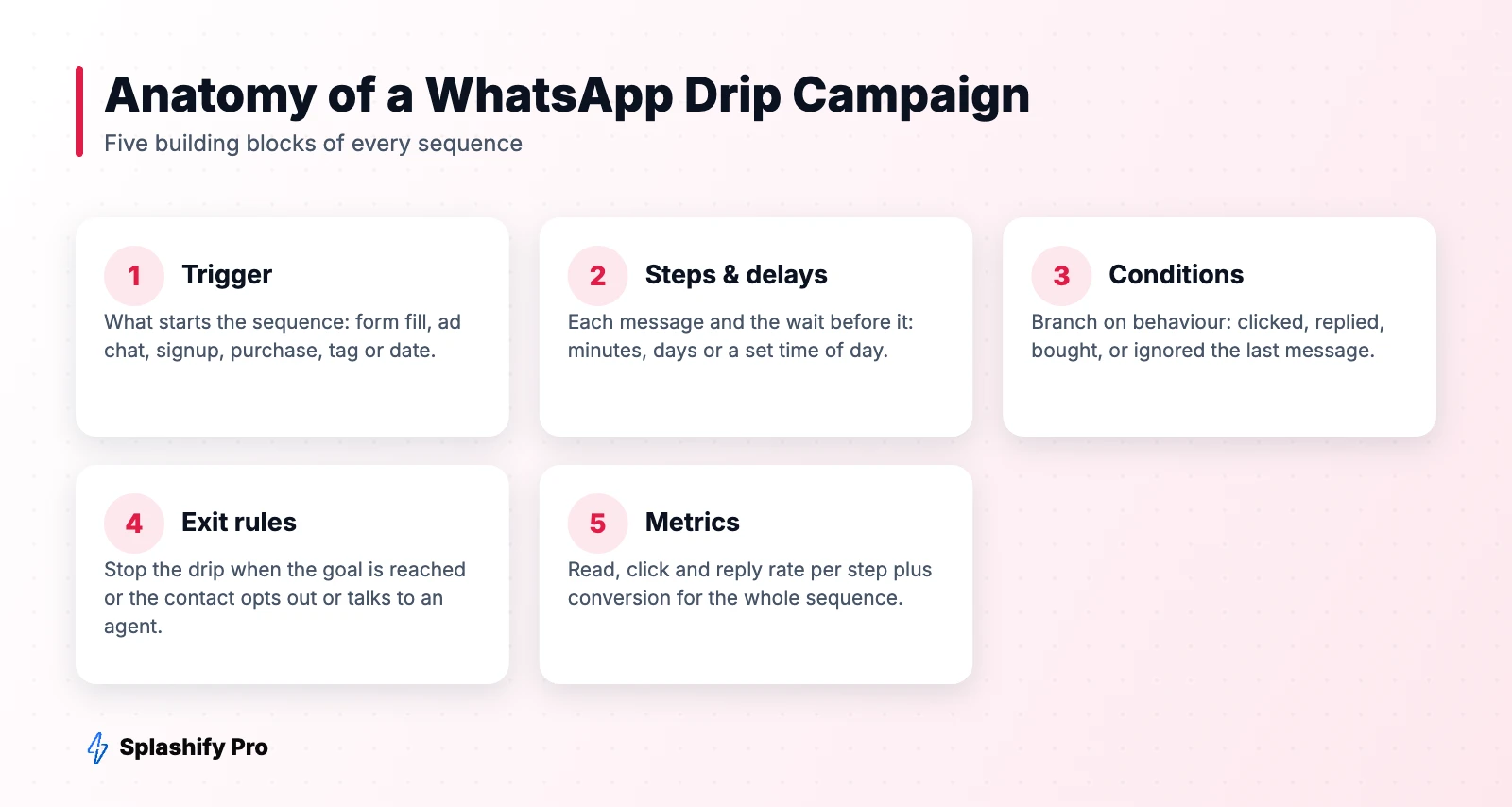
A drip campaign is a series of pre-written WhatsApp messages sent automatically over days or weeks. It starts with a trigger — a form submission, an ad chat, a signup, a purchase — and each step goes out after a set delay or when the contact does (or doesn't do) something.
Compared with email drips, WhatsApp sequences are read far more often and invite replies, so each step can turn into a real conversation.
How to plan a drip campaign
- Pick one goal. Book a demo, complete a purchase, finish onboarding, renew a plan.
- Map objections. What stops people? Price, trust, timing, understanding the product. Give each step one job.
- Choose the trigger and exit. The sequence should stop the moment the goal is met or the person replies to a human.
- Set timing. Front-load the first 48 hours, then space messages out. Send during sensible hours (10 am–8 pm).
- Write templates. Any message sent outside a 24-hour customer service window must be an approved template.
Template and window rules
WhatsApp has a key rule that shapes every drip: you can send free-form messages only within 24 hours of the customer's last message. After that, each step must be an approved template. Plan your sequence so that:
- Steps in the first 24 hours after a reply can be free-form messages (billed as low-cost service messages after Meta’s free monthly allowance).
- Later steps use templates with buttons, so a tap reopens the conversation window.
- Leads from Click-to-WhatsApp ads can get 72 hours of free messages if you reply within 24 hours.
5 drip sequences you can copy
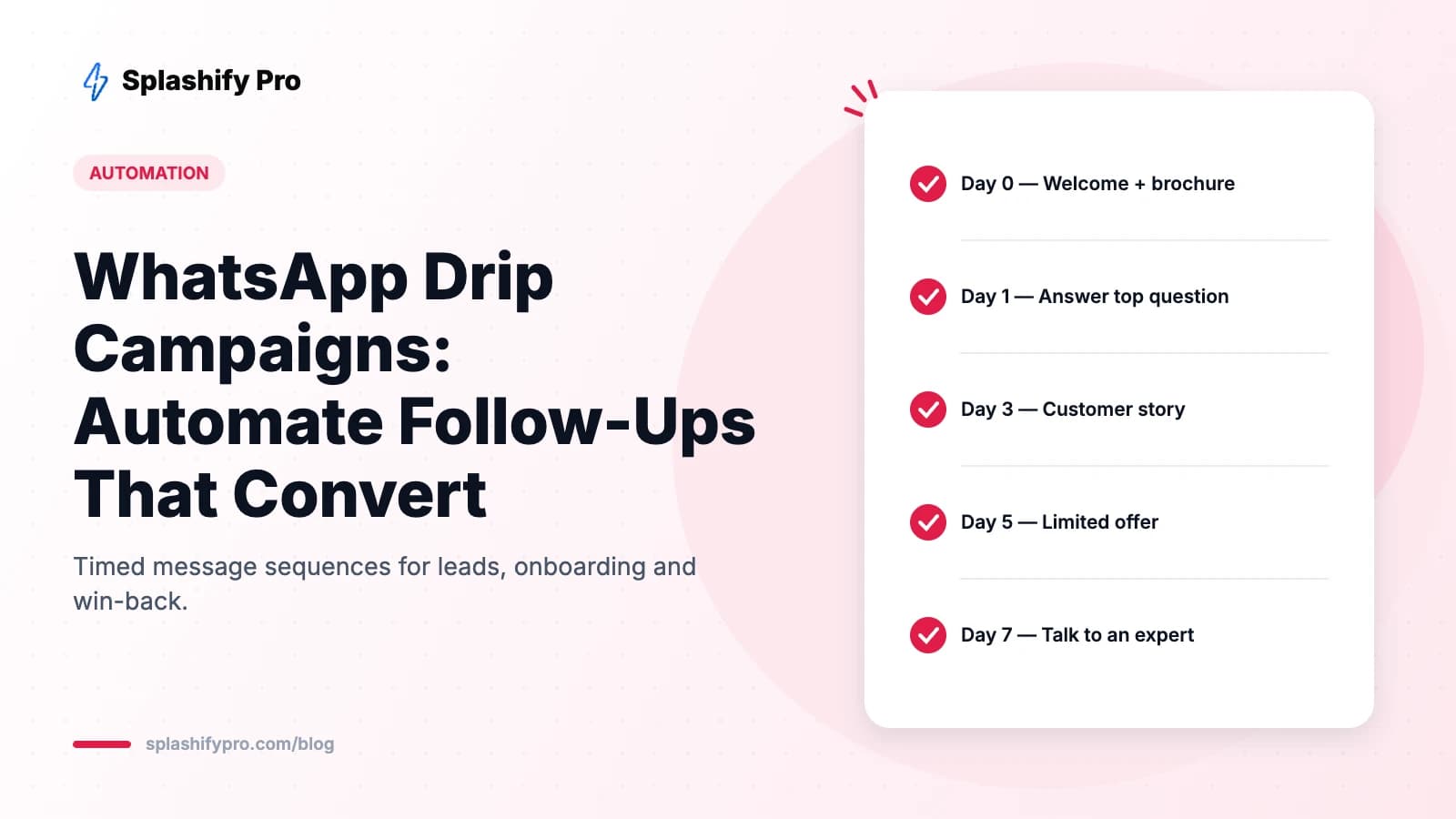
1. Lead nurture (real estate, education, B2B)
| When | Message |
|---|---|
| Instant | Welcome + brochure/price list + “What's your budget?” buttons |
| Day 1 | Answer the most common question (location, fees, ROI) |
| Day 3 | Customer story or video testimonial |
| Day 5 | Limited-time offer or event invite (site visit, demo, open day) |
| Day 7 | “Would you like to speak with an expert?” [Yes, call me] [Not now] |
2. New customer onboarding (SaaS, apps, services)
Day 0: welcome and first step. Day 1: quick-win tutorial. Day 3: feature tip based on what they haven't used. Day 7: check-in asking how it's going, with a support button.
3. Post-purchase (e-commerce)
Order confirmation → shipping update → delivered + how-to-use guide → Day 5 review request → Day 25 reorder reminder for consumables.
4. Abandoned cart
1 hour: reminder with product image. 24 hours: social proof or free shipping. 48 hours: small discount (optional). Exit as soon as they purchase. Details in our cart recovery guide.
5. Win-back
Day 60 after last purchase: “We miss you” + what's new. Day 67: personal offer. Day 75: final reminder before the offer expires. Tag non-responders as dormant and stop.
Best practices
- Keep it short. Five to seven steps is usually enough. Longer sequences hurt your quality rating.
- Branch on behaviour. If someone clicks “See pricing”, skip the education step and send pricing follow-ups.
- Hand off to humans. Any reply should pause the drip and route to an agent in the team inbox.
- Always include an opt-out. A “Stop updates” button protects your number.
- Mix formats. Images, short videos, PDFs and buttons keep each step fresh.
- Use regional languages where your audience prefers them.
How to measure a drip campaign
Track performance at two levels:
- Per step: delivered, read, clicked, replied, opted out. A step with high opt-outs needs rewriting or removing.
- Per sequence: conversion rate to the goal, time to convert and cost per conversion (Meta charges plus platform cost).
Run A/B tests on the first two steps — they carry the most weight.
Setting up a drip in Splashify Pro
- Go to Automations → New sequence.
- Choose a trigger: new contact, tag added, form submitted, keyword, or an API/webhook event.
- Add steps with delays and select an approved template for each.
- Add conditions (clicked button, replied, has tag) and exit rules.
- Activate and watch step-level analytics.
Frequently asked questions
How many messages should a WhatsApp drip have?
Typically 4–7 over one to three weeks. Stop earlier if the contact converts or stops engaging.
Is a drip campaign the same as a broadcast?
No. A broadcast sends one message to many people at once. A drip sends a personalised sequence to each person starting from their own trigger.
Do drip messages need opt-in?
Yes. Business-initiated messages on WhatsApp require the customer's opt-in.
The bottom line
WhatsApp drips turn follow-up from a chore into a system. Plan around one goal, respect the 24-hour window, branch on behaviour and stop when people convert. Build your first sequence in Splashify Pro today.
- #whatsapp automation
- #whatsapp drip campaign
- #whatsapp follow up messages
- #whatsapp nurture sequence