Around 70% of online shopping carts are abandoned before checkout — that's the global average, and it's been climbing for years. For a Shopify store doing ₹10 lakh a month, that's lakhs of rupees in unfinished orders walking out the door every single month. The good news: WhatsApp recovers far more of those carts than email ever could.
This guide shows Shopify stores exactly how to set up WhatsApp abandoned cart recovery — the timing sequence, the message templates, the rules Meta requires, the precise Shopify setup, and India-specific tactics like COD confirmation.
Why abandoned cart recovery matters
The math is unforgiving. The Baymard Institute puts the global cart abandonment rate at around 70%. A Shopify store doing ₹10 lakh/month in revenue is leaving roughly ₹23 lakh a year in abandoned checkouts on the table.
Recovering even a fraction of that is the highest-ROI marketing you can do — these are warm shoppers who already picked products and started checking out. They don't need convincing that they want your product; they just need a nudge to finish.
Why WhatsApp beats email for cart recovery
Most stores rely on abandoned-cart emails — and most of those emails are never opened. WhatsApp wins on every metric that matters:
- Open rates of ~96% vs ~21% for email — your message actually gets seen.
- Click-through rates of 15-25% vs 2-5% for email — shoppers actually tap the link.
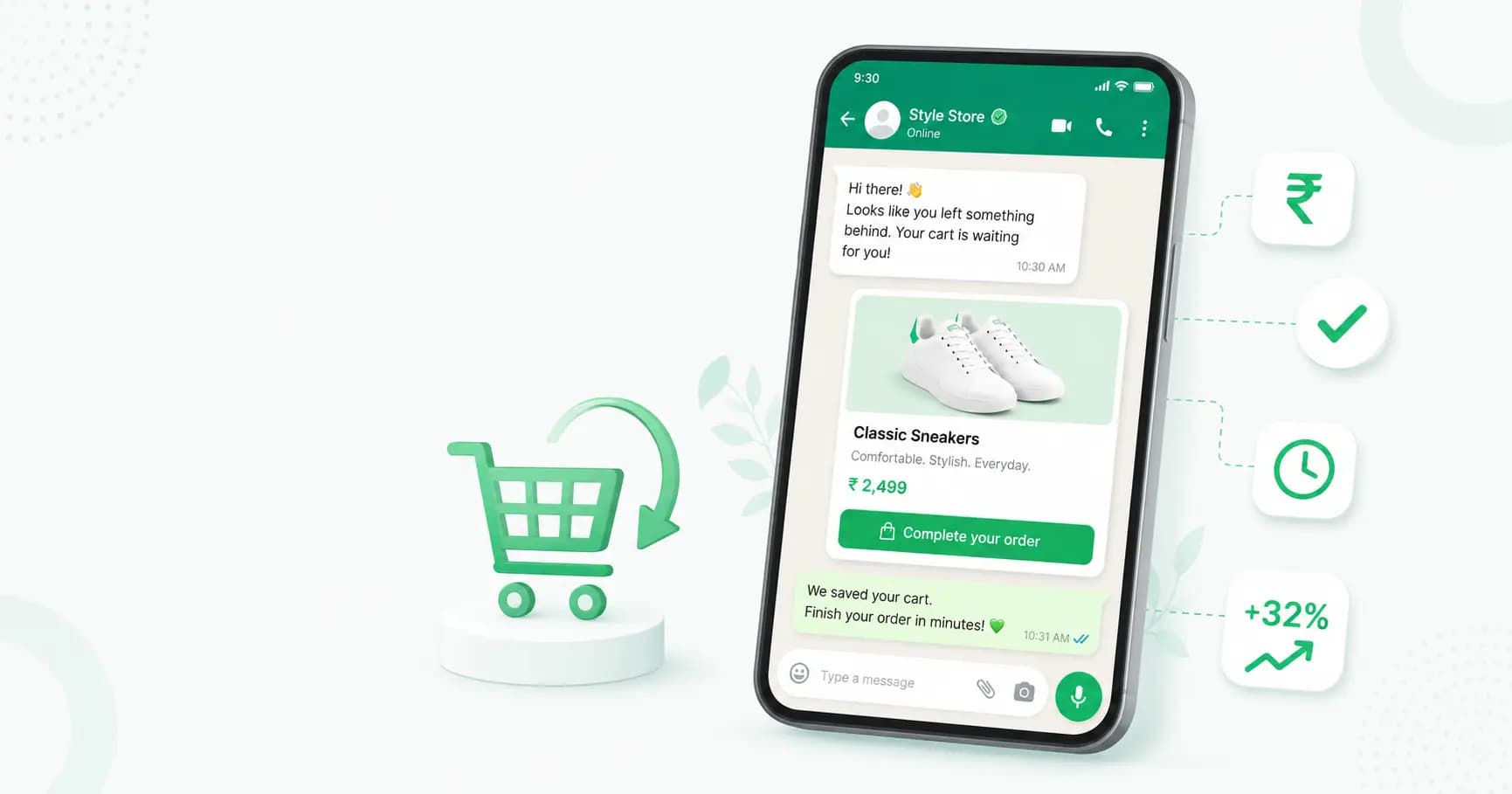
- The product image renders in the chat preview before they even open it.
- A one-tap button takes them straight back to checkout — no logins, no searching.
The result: WhatsApp consistently recovers 15-30% of abandoned carts when the timing and templates are right — several times what email achieves.
How WhatsApp abandoned cart recovery works
The flow is fully automated once it's set up:
- A customer adds products and starts checkout on your Shopify store, entering their phone number.
- They leave without paying.
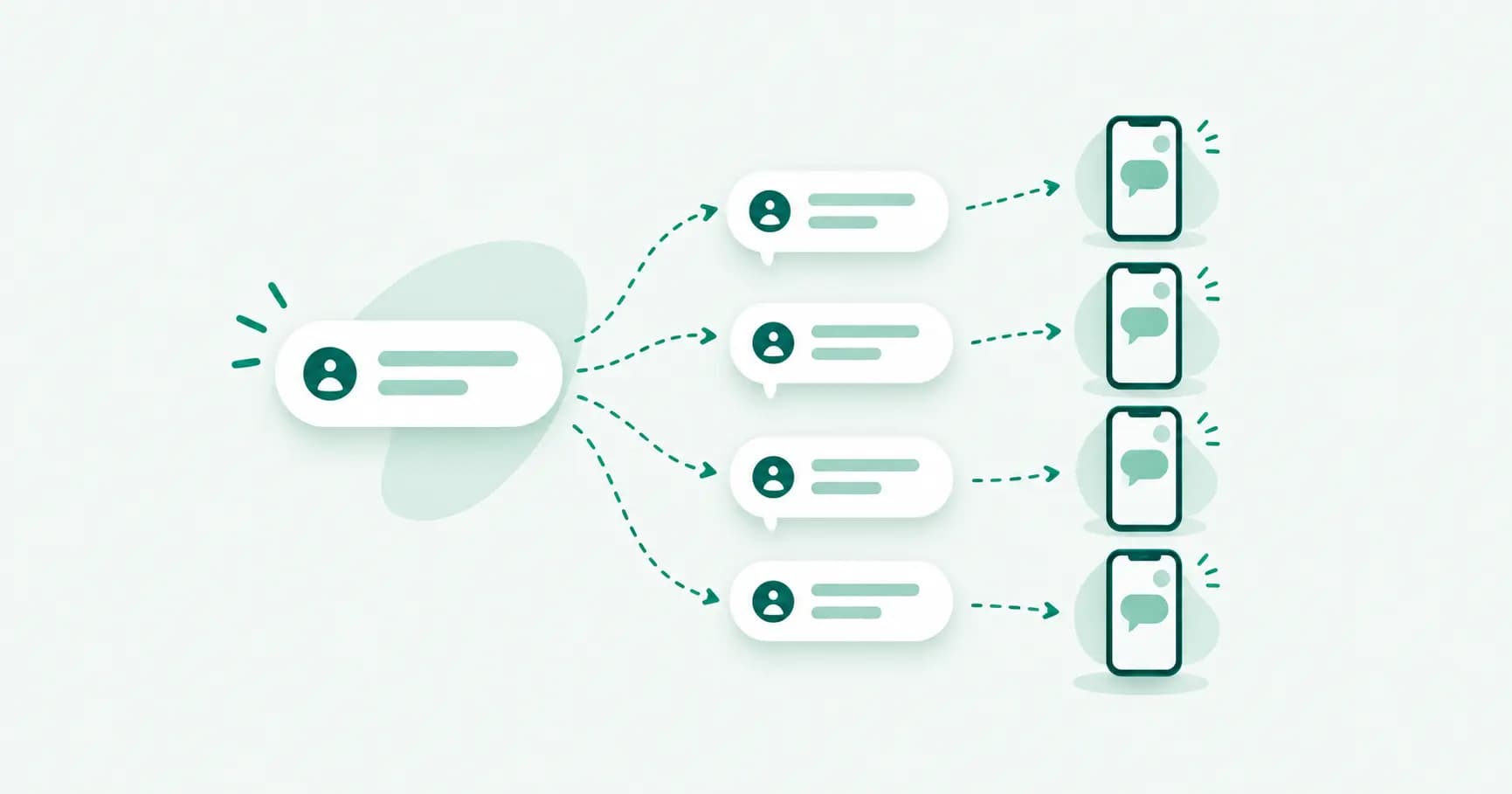
- Shopify fires a "checkout created" event (webhook) to your WhatsApp platform.
- A timer starts, and a pre-approved WhatsApp template message fires automatically — with the product, price and a link back to the cart.
- If they still don't buy, follow-up messages go out on a schedule.
No manual work — abandoned carts trigger recovery messages on their own.
The WhatsApp cart recovery sequence
The most effective approach is a short sequence of 2-3 messages over 24-48 hours, escalating gently:
- Message 1 — 30 to 60 minutes after abandonment. A friendly reminder with the product image, name, price and a direct link back to the cart. No discount yet. This first message alone recovers roughly 8-12% of carts. (Sending too early, under 10 minutes, feels intrusive; waiting beyond an hour sharply reduces recovery.)
- Message 2 — 24 hours later. Address common objections with social proof or an incentive like free shipping. Still no heavy discount. Recovers an additional ~5-8%.
- Message 3 — 48 hours later. A final reminder with an urgency element — a small discount, limited stock, or a deadline.
The escalation matters: don't lead with a discount, or you train customers to abandon carts on purpose.
The rules you must follow (Meta 2026 policy)
This is where many stores get it wrong, so read carefully:
- Cart recovery messages are "Marketing" templates. Under Meta's 2026 policy, abandoned cart messages are classified as the Marketing category — not Utility.
- You need explicit opt-in. Marketing messages require separate consent from order-update messages. Collect opt-in at checkout (a tick box) or via a prior interaction. Without it, you risk blocks and a damaged sender reputation.
- Don't mislabel marketing as utility to save money. Meta re-categorises mislabelled templates automatically, and a pattern of it drags down your account quality rating — which throttles how many messages you can send. It costs you more, not less.
- Budget the per-message cost. Marketing templates cost roughly ₹0.86 per message in India. WhatsApp messaging costs more than email, but the far higher recovery rate makes the ROI strongly positive. (See our WhatsApp Business API pricing guide for the full breakdown.)
How to set up WhatsApp cart recovery for Shopify
Here's the exact setup with Splashify Pro:
- Connect the WhatsApp Business API via Meta Embedded Signup.
- Connect Shopify. In Splashify, copy your Shopify webhook URL, then in Shopify go to Settings → Notifications → Webhooks and add three events: Checkout creation (abandoned cart), Order payment (confirmation), and Order cancellation (refund notice). This works on any Shopify plan.
- Create and submit your recovery template for approval as a Marketing template, with variables for the customer's first name, cart total, and the recovery link.
- Map the recovery link. Shopify provides a hosted "abandoned checkout URL" that takes the customer straight back to their cart. Important: this link expires after about 2 hours, so the automated first message is set to fire around 30 minutes after abandonment — comfortably inside the window.
- Require phone number at checkout. In Shopify's checkout settings, make phone required — otherwise customers who skip it can't be reached.
- Add your follow-ups and order messages. Set up your 24h/48h follow-ups, plus automatic order confirmation (with tracking) and cancellation messages.
- Test it. Add a product to your cart, start checkout, enter your details, then abandon it — Shopify fires the event within seconds and you'll see the recovery message and logs.
Bonus for Indian stores: COD confirmation and conversion
If you sell cash on delivery, WhatsApp solves two expensive problems:
- Confirm COD orders via WhatsApp before fulfilling to cut RTO (Return to Origin) — fake or impulse COD orders that never get accepted.
- Convert COD to prepaid by offering a small discount with a WhatsApp payment link (Razorpay/PhonePe). This reduces returns and fraud while improving your cash flow.
These two tactics alone can pay for your WhatsApp platform several times over for a COD-heavy store.
Best practices for WhatsApp cart recovery
- Personalise with the customer's name and the exact product they left behind.
- Lead with the product image and price, not a wall of text.
- Hold the discount until the final message — don't give margin away unnecessarily.
- Collect opt-in at checkout so every abandoner is reachable and compliant.
- Require phone at checkout for maximum coverage.
- A/B test your timing, copy and incentives, and watch your recovery rate.
- Pair recovery with order updates (confirmation, shipping, delivery) so the whole post-purchase journey lives on WhatsApp.
How Splashify Pro handles Shopify cart recovery
Abandoned cart recovery is a headline use case of Splashify Pro's Shopify integration:
- Native Shopify webhooks for checkout creation, order payment and cancellation — no middleware.
- Automated recovery that fires ~30 minutes after abandonment with the product, total and a one-tap link back to the Shopify cart.
- Order confirmation and tracking messages on payment, and refund notices on cancellation.
- Razorpay/PhonePe/Zoho payment links for in-chat checkout — and COD-to-prepaid conversion.
- INR-native pricing with GST invoicing, on any Shopify plan, live in 1-2 hours.
The result: warm shoppers who almost bought get a timely, personal nudge on the channel they actually check — and you recover revenue that email leaves behind.
Frequently asked questions
How much of abandoned carts can WhatsApp recover?
When the timing, templates and sequence are right, WhatsApp typically recovers 15-30% of abandoned carts — several times the rate of abandoned-cart emails, thanks to WhatsApp's ~96% open rate.
Is WhatsApp better than email for cart recovery?
Yes, on the metrics that matter. WhatsApp has ~96% open rates vs ~21% for email, and far higher click-through. WhatsApp messages cost more per send, but the much higher recovery rate makes the ROI better. Many stores use both.
When should I send the first cart recovery message?
Around 30-60 minutes after abandonment. Earlier than 10 minutes can feel intrusive, and waiting beyond an hour sharply reduces recovery. A typical sequence is 30-60 min, 24 hours, then 48 hours.
Do I need customer consent to send WhatsApp cart recovery messages?
Yes. Meta's 2026 policy classifies cart recovery as Marketing messages, which require explicit opt-in — separate from order-update consent. Collect opt-in at checkout to stay compliant and protect your sender reputation.
Are cart recovery messages marketing or utility templates?
Marketing. Don't try to label them as utility to save money — Meta re-categorises mislabelled templates and a pattern of it lowers your account quality rating, which limits how many messages you can send.
How do I set up WhatsApp cart recovery on Shopify?
Connect the WhatsApp Business API, add Shopify webhooks for checkout creation (plus order payment and cancellation), create an approved Marketing recovery template with the customer's name, total and cart link, require phone at checkout, and enable the automation. Setup takes about 1-2 hours.
Does WhatsApp cart recovery work for cash-on-delivery (COD)?
Yes — and it's especially valuable for COD stores. Use WhatsApp to confirm COD orders (reducing RTO returns) and to convert COD to prepaid with a payment link and a small discount, which cuts fraud and improves cash flow.
How much do WhatsApp cart recovery messages cost in India?
Cart recovery uses Marketing templates, which cost roughly ₹0.86 per message in India. It's more than email but far cheaper than the revenue recovered, given WhatsApp's high open and conversion rates.
The bottom line
For a Shopify store, abandoned cart recovery on WhatsApp is some of the easiest revenue you'll ever win back — these are shoppers who already chose your products. Set up the Shopify webhook, send a personal reminder within the hour, follow up over 24-48 hours, get explicit opt-in, and (if you sell COD) use WhatsApp to confirm and convert orders. Done right, it recovers 15-30% of carts that email would lose.
Set up WhatsApp cart recovery for your Shopify store with Splashify Pro → — native Shopify integration, automated recovery, and Razorpay/PhonePe payments. Free for 14 days, or see pricing.
- #abandoned cart whatsapp
- #cart recovery
- #shopify whatsapp
- #whatsapp abandoned cart recovery
- #whatsapp cart recovery shopify
- #whatsapp ecommerce