If you run a business on WhatsApp, you probably answer the same ten questions every day: What's the price? Where are you located? Do you deliver? What are your timings? Typing those answers again and again wastes hours each week and makes replies slower than they should be.
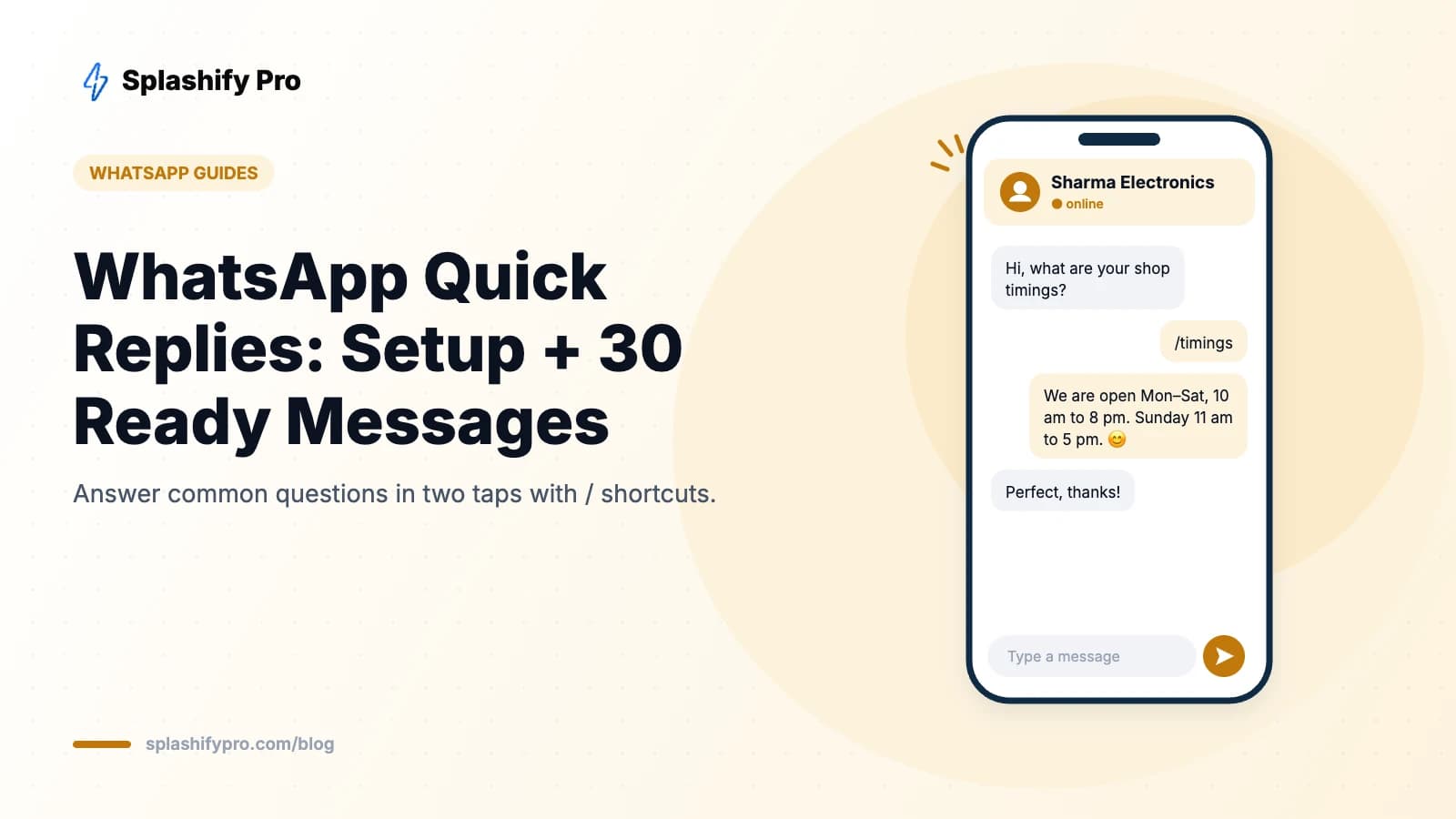
Quick replies fix that. They are saved messages in the WhatsApp Business app that you can send in two taps using a / shortcut. Here's how to set them up, plus 30 replies you can copy.
What are WhatsApp quick replies?
Quick replies are part of the free WhatsApp Business app's business tools. Each one has a message (text, and optionally a photo or video) and a shortcut keyword. In any chat, type / and a list of your saved replies appears; tap one to insert it, edit if you need to, and send. You can save up to 50 quick replies.
How to create quick replies on Android
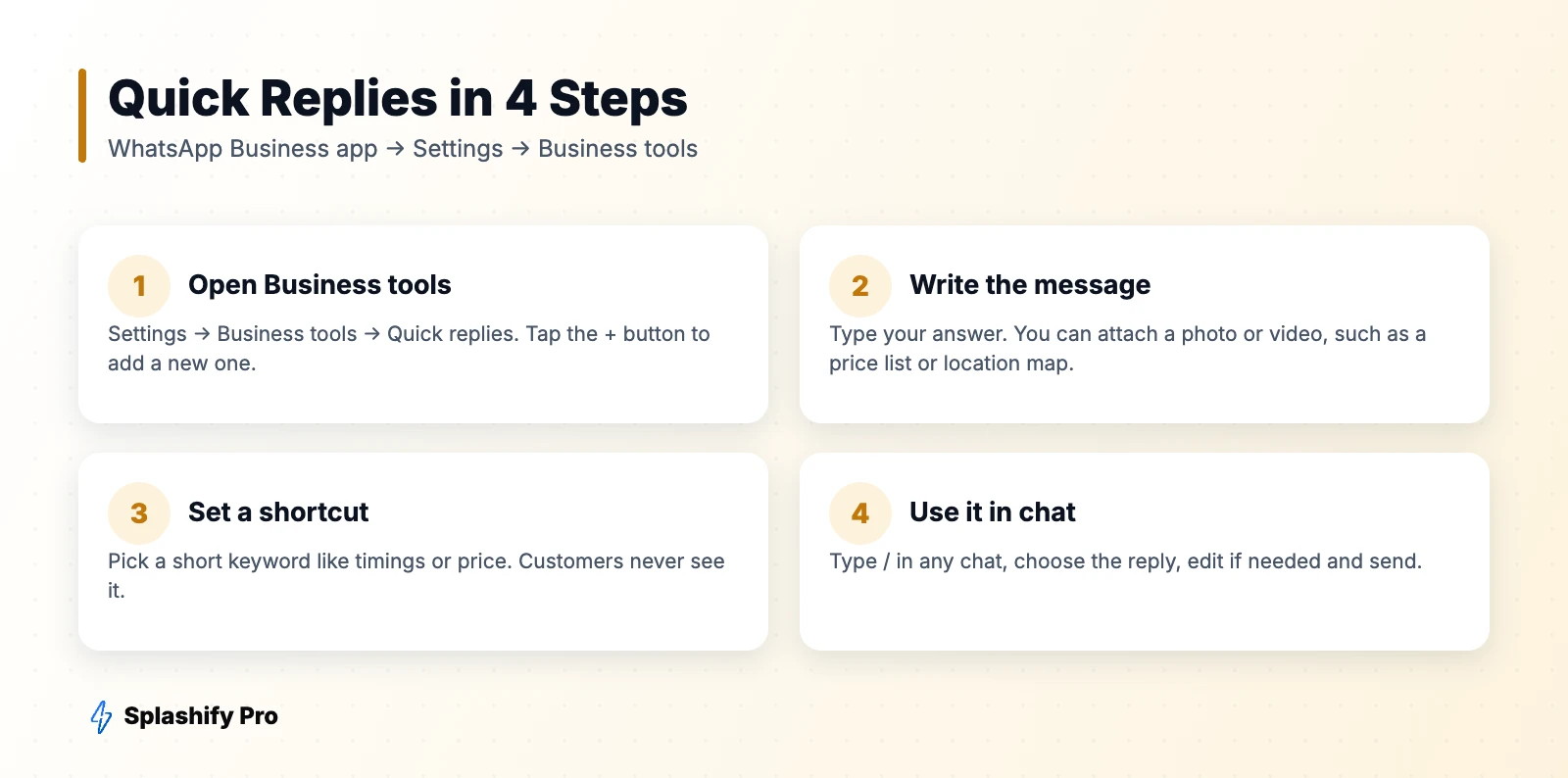
- Open WhatsApp Business and tap the three dots → Settings.
- Tap Business tools → Quick replies.
- Tap the + button.
- Type your message and optionally attach media.
- Enter a shortcut (for example, timings) and tap Save.
How to create quick replies on iPhone
- Open WhatsApp Business and tap Settings.
- Tap Business tools → Quick replies.
- Tap + (top right), write the message, add a shortcut and tap Save.
How to send a quick reply
Open a chat and type /. Start typing the shortcut to filter (for example /pri for price), tap the reply you want, and send. On Android you can also tap the attachment icon and choose quick replies.
30 quick replies you can copy
Greetings and availability
- /hello — “Hi! Thanks for reaching out to [Business]. How can we help you today?”
- /busy — “Thanks for your message! We're attending other customers right now and will reply within 30 minutes.”
- /timings — “We're open Monday to Saturday, 10 am to 8 pm, and Sunday 11 am to 5 pm.”
- /holiday — “We're closed today for the festival. We'll reply first thing tomorrow. Happy holidays!”
- /location — “You can find us at [address]. Here's the map link: [link]”
Products and pricing
- /price — “Here's our latest price list. Let us know which product you're interested in!”
- /catalog — “You can browse all our products in our WhatsApp catalog: [link]”
- /stock — “Yes, this item is available. Would you like us to reserve one for you?”
- /oos — “Sorry, this item is out of stock right now. Shall we notify you when it's back?”
- /sizes — “Available sizes are S, M, L and XL. Here's our size chart to help you choose.”
- /offer — “Good news! You get 10% off on your first order with code WELCOME10.”
Orders and delivery
- /order — “To place an order, please share: product name, quantity, delivery address and pincode.”
- /delivery — “We deliver across India in 3–7 working days. Local delivery within the city is same or next day.”
- /shipping — “Shipping is free on orders above ₹999. Below that, a flat ₹60 charge applies.”
- /track — “Your order has been shipped! Track it here: [link]”
- /cod — “Yes, cash on delivery is available for orders up to ₹5,000.”
- /confirm — “Your order is confirmed! We'll send tracking details once it ships.”
Payments
- /upi — “You can pay via UPI to [UPI ID]. Please share a screenshot once done.”
- /paid — “Payment received, thank you! We're processing your order now.”
- /invoice — “Here's your invoice for the order. Let us know if you need a GST invoice.”
- /emi — “EMI options are available on credit cards and select debit cards at checkout.”
Returns and support
- /return — “You can return unused items within 7 days of delivery. Share your order ID to start a return.”
- /refund — “Your refund has been initiated and will reach your account in 5–7 working days.”
- /exchange — “Happy to exchange it! Please share your order ID and the size/colour you'd like instead.”
- /issue — “Sorry to hear that! Could you share a photo of the issue and your order ID? We'll fix this quickly.”
- /human — “Connecting you to our team member. Please give us a moment.”
Follow-up and feedback
- /followup — “Hi! Just checking if you had any more questions about the product we discussed.”
- /review — “We hope you're loving your purchase! Would you mind leaving us a quick review? [link]”
- /thanks — “Thank you for shopping with us! We look forward to serving you again.”
- /bye — “Glad we could help! Feel free to message us anytime.”
Tips for better quick replies
- Use short, memorable shortcuts — one word each, all lowercase.
- Leave placeholders like [order ID] to fill in, so replies still feel personal.
- Attach media to price lists and location replies — a picture answers faster than text.
- Combine with labels to tag chats as new order, pending payment or resolved. See our catalog guide to pair replies with products.
- Review monthly and update prices, offers and timings.
When quick replies aren't enough
Quick replies still need a person to read each chat and pick a response. Once you're handling dozens of conversations a day, or more than one person needs to reply, you'll hit the limits of the app: one phone, a few linked devices and no automation.
The WhatsApp Business API, through a platform like Splashify Pro, gives you:
- Canned responses shared across your whole team in a multi-agent inbox
- Chatbots that answer FAQs instantly, 24/7, without anyone typing /
- Keyword automations — send the price list automatically when someone types “price”
- Reporting on response times and agent performance
Read WhatsApp vs WhatsApp Business to decide when to upgrade.
Frequently asked questions
How many quick replies can I save?
The WhatsApp Business app lets you save up to 50 quick replies.
Are quick replies available on regular WhatsApp?
No, quick replies are a WhatsApp Business app feature. Personal WhatsApp doesn't have them.
Can I use quick replies on WhatsApp Web?
Yes. Type / in a chat on WhatsApp Web or Desktop when you're logged in with your WhatsApp Business account.
Do quick replies send automatically?
No — you choose when to send them. For automatic replies, use the greeting and away messages in the app, or a chatbot on the API.
The bottom line
Spend 20 minutes setting up quick replies for your ten most common questions and you'll save hours every week while replying faster. When chat volume outgrows one phone, move to Splashify Pro for team inboxes and automation.
- #whatsapp business quick reply
- #whatsapp business tools
- #whatsapp canned responses
- #whatsapp quick replies