Meta's 1 October 2026 pricing changes made WhatsApp API bills harder to predict. Service replies are free only for the first 1,000 per number each month, and utility templates inside an open window are billed again. The good news: most businesses can trim their bill by a quarter or more without sending fewer useful messages.
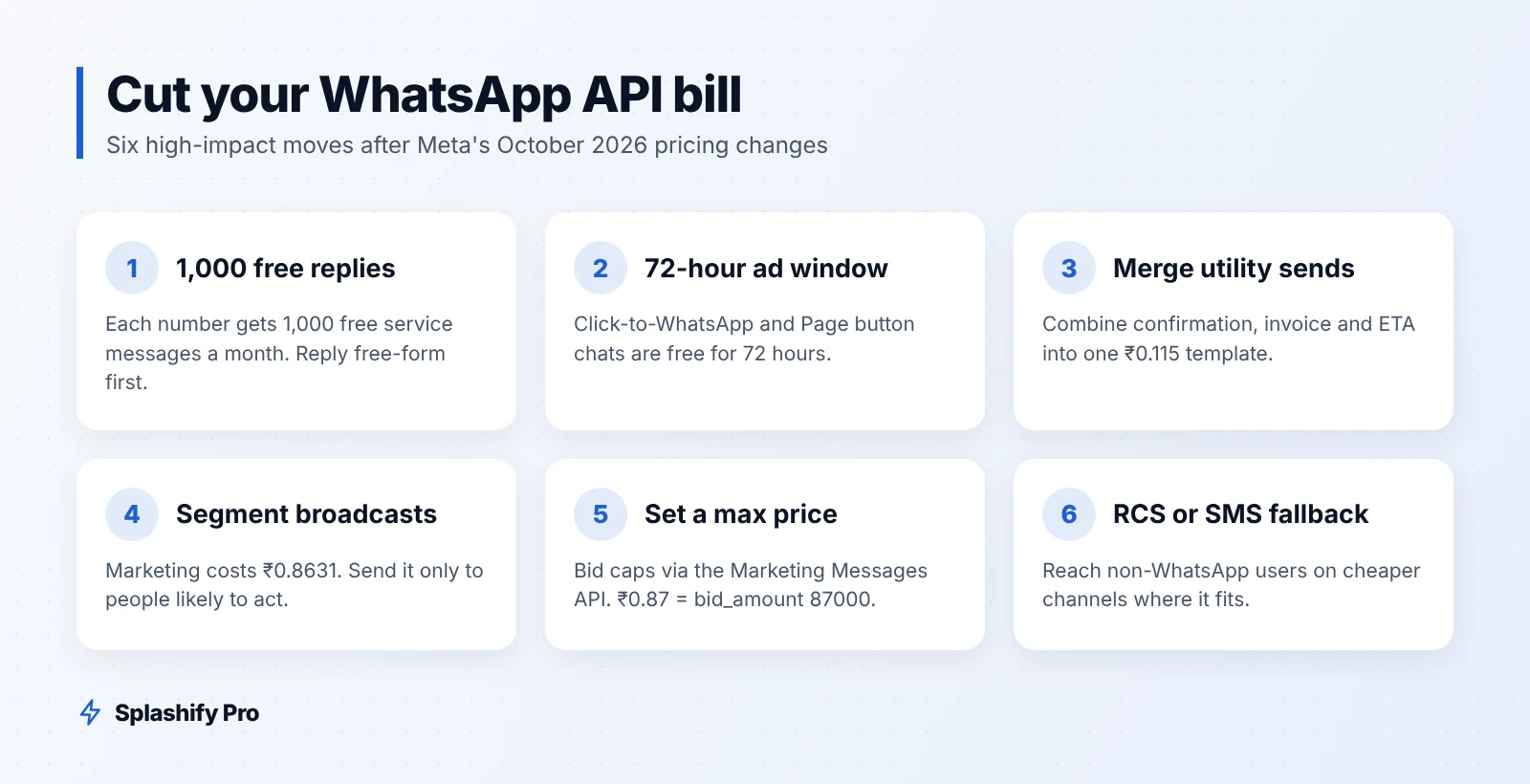
What changed on 1 October 2026
Here are the India rates per delivered message, before 18% GST:
Message type | Rate (₹) | Notes |
|---|---|---|
Service (free-form reply in 24-hour window) | 0.115 | First 1,000 per business number per month free |
Utility template | 0.115 | Now billed even inside an open window |
Authentication template | 0.115 | OTPs and login codes |
Marketing template | 0.8631 | Offers, launches, re-engagement |
Two more rules shape costs. Conversations that start from a Click-to-WhatsApp ad or Facebook Page button stay free for 72 hours. And failed messages are not charged on Splashify Pro, because you pay only for delivered messages at Meta's rate card. For the full breakdown, see our WhatsApp API pricing guide for India.
Marketing is about 7.5 times the price of the other categories. That is where most savings live.
12 tactics to cut your WhatsApp API bill
1. Use your 1,000 free service messages well
Each business phone number gets 1,000 free service messages a month. Answer questions with free-form replies inside the 24-hour window instead of firing a template.
2. Invite customers to message you first
A wa.me link on invoices, a QR code at the counter or a "Chat with us" button on your site starts a customer-initiated window. Replies in that window are service messages, not ₹0.8631 marketing templates.
3. Route ad traffic through Click-to-WhatsApp
Chats that begin from Click-to-WhatsApp ads or your Facebook Page button are free for 72 hours. Plan your follow-ups, catalog sends and payment links to land inside that window. Our Click-to-WhatsApp ads guide shows how to set it up.
4. Merge utility messages
"Order confirmed", "Invoice attached" and "Expected delivery" can often be one template. Fewer sends, same information.
5. Reply free-form when the window is open
Since utility templates inside an open window are now billed, a free-form reply (within your 1,000 free service messages) is cheaper when the customer has just written to you.
6. Segment every broadcast
Send the Diwali sale to recent buyers and active browsers, not to your whole list. Use tags, purchase history and custom fields to build smaller, relevant segments. Splashify Pro lets you build these segments from the built-in CRM.
7. Suppress people who never engage
Contacts who have not read or replied to several campaigns cost money and raise block risk. Move them to a low-frequency segment or a re-permission flow.
8. Cap marketing spend with max price
Max price for marketing messages entered open beta in October 2026 and is planned to become mandatory in eligible countries in Q2 2027. You set it per template as bid_amount inside optimization_spec, using the LOWEST_COST_WITH_BID_CAP strategy. The value is the price in paise × 1,000, so ₹0.87 becomes 87000. Two catches: you cannot add a max price to an existing template (create a new one), and max-price templates only send through the Marketing Messages API. Sent via the Cloud API they fail with error 131061.
9. Test your bid levels
Meta suggests testing no cap, the rate card, 1.2× the rate card (India) and 0.9×. Use the reach-estimation endpoint to see estimated delivery and cost per 1,000 at different bids before you commit. Treat it as a planning tool, not a guarantee.
10. Use the Marketing Messages API for promotions
The Marketing Messages API (formerly "MM Lite") uses the same approved templates and number, adds delivery optimisation, and reports clicks and conversions per template. Set a time-to-live between 12 hours and 30 days so stale offers expire instead of delivering late.
11. Add RCS or SMS fallback
Not every customer is reachable on WhatsApp. For those numbers, RCS or SMS can be a cheaper route. Reported September 2026 Jio rates for business RCS to iPhone users were ₹0.27–0.30 per marketing message, below WhatsApp's ₹0.8631. Compare channels in our RCS vs WhatsApp vs SMS guide.
12. Review cost by template every month
Look at delivered, read, clicked and cost per template. Retire templates that cost money but rarely drive a reply or purchase.
A worked monthly cost example
Take a hypothetical Surat saree brand with one WhatsApp number. Before optimisation, it sends:
Category | Before (messages) | Before (₹) | After (messages) | After (₹) |
|---|---|---|---|---|
Marketing @ ₹0.8631 | 20,000 | 17,262.00 | 14,000 | 12,083.40 |
Utility @ ₹0.115 | 8,000 | 920.00 | 6,000 | 690.00 |
Authentication @ ₹0.115 | 3,000 | 345.00 | 3,000 | 345.00 |
Service, billable after 1,000 free | 5,000 | 575.00 | 3,500 | 402.50 |
Subtotal | 19,102.00 | 13,520.90 | ||
With 18% GST | 22,540.36 | 15,954.66 |
What changed:
Marketing: segmenting and suppressing non-engagers cut sends from 20,000 to 14,000.
Utility: merging order confirmation and invoice messages cut 8,000 sends to 6,000.
Service: of 6,000 replies, 1,500 now happen inside free 72-hour Click-to-WhatsApp windows. Of the remaining 4,500, the first 1,000 are free, leaving 3,500 billable.
The monthly bill falls by ₹6,585.70, about 29%, with GST included. Max-price bidding on marketing templates could reduce it further, but results depend on your bids and audience, so test before you count on it.
Billing housekeeping that prevents surprises
Add a payment method. Accounts with no payment method stop delivering replies after the free 1,000.
Move to INR billing. If Meta bills your WABA in India in another currency, migrate to INR by 31 December 2026, or delivery stops from 1 January 2027.
Watch 1 January 2027. It is the next possible date for Meta rate changes.
Frequently asked questions
Are the 1,000 free service messages per account or per number?
Per business phone number, per month. After that, service messages cost ₹0.115 each before GST.
Are Click-to-WhatsApp chats still free?
Yes. Conversations from Click-to-WhatsApp ads and Facebook Page buttons remain free for 72 hours. The ads themselves are paid separately through Meta.
Can I add a max price to my existing marketing templates?
No. You need to create a new template with the bid set, and send it through the Marketing Messages API, not the Cloud API.
Am I charged for messages that fail?
Not on Splashify Pro. Meta's charges are passed through at Meta's rate card for delivered messages only.
The bottom line
The October 2026 changes reward businesses that let customers start conversations, send fewer but better marketing messages, and keep a close eye on cost per template. Start with segmentation and merged utility messages, since they need no new tools, then test max price and RCS fallback. Try your own numbers in our WhatsApp pricing calculator. To run segmented broadcasts, Click-to-WhatsApp follow-ups and template reports in one place, start your 7-day free trial (plans from ₹999/month + GST, no credit card).
- #marketing messages api
- #reduce whatsapp api cost
- #whatsapp broadcast cost
- #whatsapp max price
- #whatsapp pricing india