One-time passwords are the front door of every app, wallet and checkout. When an OTP arrives late — or not at all — the user abandons signup and you lose a customer you already paid to acquire. That is why more Indian fintechs, e-commerce apps and SaaS products now send OTPs on WhatsApp, with SMS as a fallback.
This guide explains how WhatsApp authentication templates work, how to set them up through the API, and the security rules you need to follow.
What is a WhatsApp authentication template?
Authentication is one of the three template categories on the WhatsApp Business Platform (alongside marketing and utility). It exists for one purpose: delivering one-time passcodes. Unlike other templates, you do not write the wording yourself. Meta provides a fixed message — “{{code}} is your verification code.” — with optional additions:
- A security disclaimer: “For your security, do not share this code.”
- An expiry warning: “This code expires in 10 minutes.”
- An OTP button: copy code, one-tap autofill or zero-tap.
Because the format is locked, you cannot add links, promotions or emojis. That restriction is what keeps authentication messages trustworthy and quick to approve.
Copy-code, one-tap and zero-tap buttons
| Button type | How it works | Best for |
|---|---|---|
| Copy code | User taps a button to copy the OTP, then pastes it into your app or website | Web logins, iOS apps, any platform |
| One-tap autofill | On Android, tapping the button opens your app and fills the code automatically | Android apps that want minimum friction |
| Zero-tap | On Android, the code is passed to your app without any tap, after the user agrees to the terms | High-volume Android apps with strict conversion goals |
One-tap and zero-tap need a small integration in your Android app (a handshake that tells WhatsApp which app is expecting the code, identified by package name and signing key hash). If the handshake fails, WhatsApp falls back to a copy-code button.
How to send WhatsApp OTPs: step by step
- Get WhatsApp Business API access through a provider like Splashify Pro, with a verified phone number and display name.
- Create an authentication template. Choose the language, the OTP button type, and whether to show the security disclaimer and expiry time.
- Generate the OTP on your server. Use a cryptographically secure random number, store a hash with an expiry, and limit attempts.
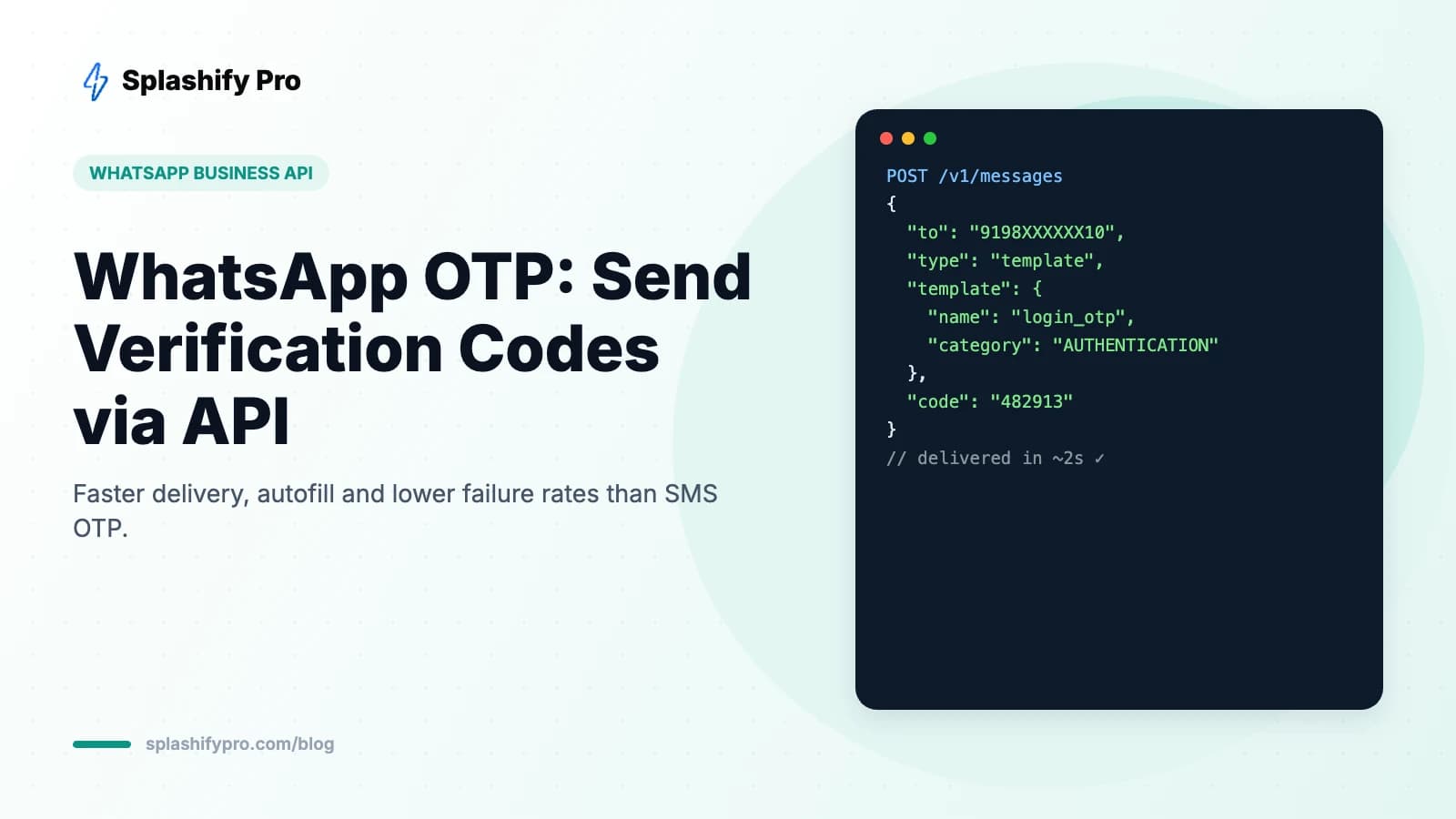
- Call the send API with the user's number, the template name and the code as the parameter (also passed to the button for copy-code).
- Listen for status webhooks. If you don't get a delivered status within 10–20 seconds, trigger SMS fallback.
- Verify the code the user enters against your stored hash, then invalidate it.
Developers can find request formats in our WhatsApp Business API guide.
WhatsApp OTP vs SMS OTP
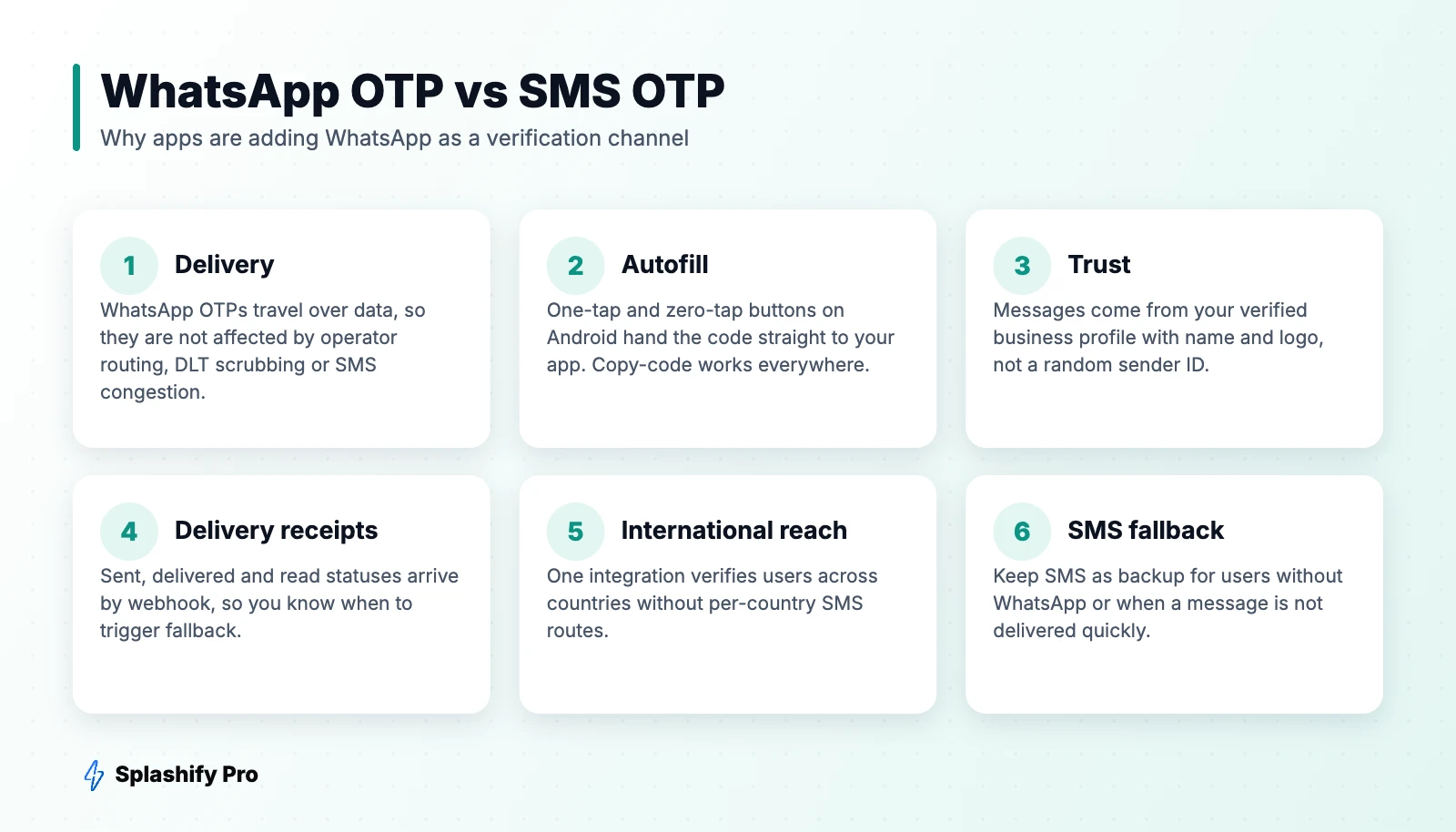
SMS still has the widest reach — it works on every phone, with or without internet. But in India, SMS OTPs depend on DLT template registration, operator routing and network congestion, and delivery can slow down during peak hours. WhatsApp OTPs travel over data and arrive from a branded, verified profile, with delivery and read receipts you can act on.
The best-practice setup for most apps is WhatsApp first, SMS fallback: try WhatsApp, and if it isn't delivered within a short timeout (or the number isn't on WhatsApp), send the same code by SMS. Splashify Pro supports both channels from one account — see our channel comparison for when each works best.
Security best practices
- Short expiry. 5–10 minutes is standard. Show the expiry in the message.
- Rate limit requests. Cap OTP sends per number and per IP to stop SMS/WhatsApp pumping fraud and runaway costs.
- Limit attempts. Lock verification after three to five wrong entries.
- Never log plain codes. Store hashes and mask codes in logs and dashboards.
- Bind the code to the session. An OTP generated for one login attempt shouldn't work for another.
- Add the security disclaimer. It reduces social-engineering attacks where fraudsters ask users to share codes.
What does a WhatsApp OTP cost?
Authentication templates are charged per delivered message at Meta's authentication rate for the recipient's country, which is lower than marketing. Meta also offers volume tiers that reduce authentication rates as monthly volume grows. For India-specific numbers, see our India pricing guide.
Use cases beyond login
- Signup and phone number verification
- Password and PIN reset
- Payment and transaction confirmation
- Account recovery and new-device approval
- Verifying cash-on-delivery orders before dispatch
Frequently asked questions
Can I customise the WhatsApp OTP message text?
No. Authentication templates use Meta's preset wording. You can only toggle the security disclaimer, expiry warning and button type, and choose the language.
Do users need to have saved my number?
No. API template messages are delivered whether or not the user has saved your number, as long as they have an active WhatsApp account.
Is WhatsApp OTP faster than SMS?
Typically yes, especially at peak times, because it doesn't depend on operator SMS routes. Measure your own delivery times and keep SMS as a fallback.
The bottom line
WhatsApp OTPs give users a faster, more trusted verification experience and give you delivery data SMS can't match. Add WhatsApp as your primary OTP channel with SMS fallback and you will see fewer drop-offs at the most expensive step of your funnel. Get WhatsApp and SMS OTP from one Splashify Pro account.
- #otp on whatsapp
- #whatsapp authentication template
- #whatsapp otp
- #whatsapp otp api