A WhatsApp broadcast list looks like the easiest way to message many customers at once — one message, multiple recipients, no group chaos. It also has a hard cap and a quiet rule that breaks it for most businesses without anyone realizing until messages just don't arrive. Here's exactly how it works, its real limits, and when it's time to move past it.
What a broadcast list actually is
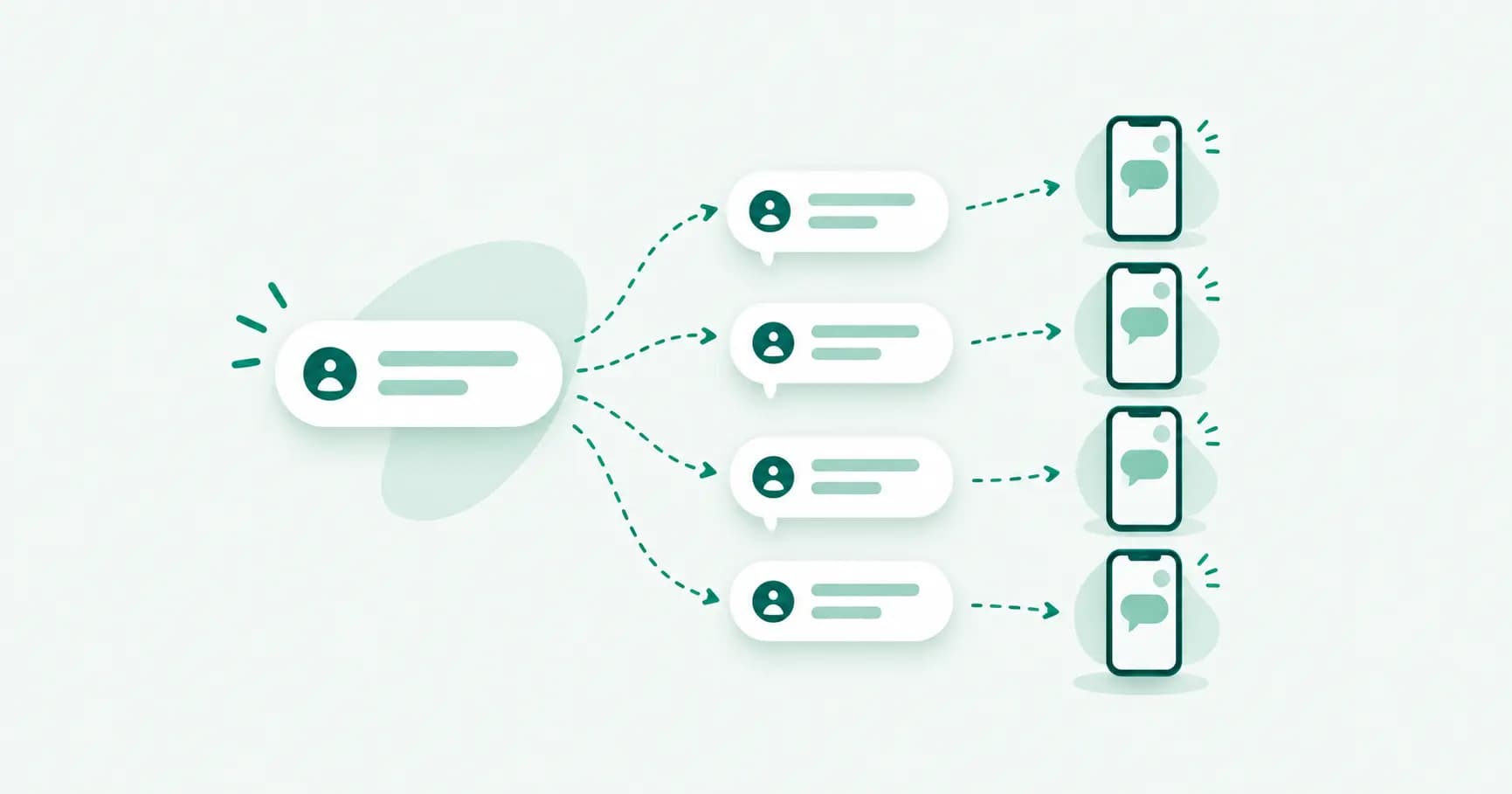
A broadcast list lets you send one message to up to 256 contacts at once, with each person receiving it as a normal, private one-to-one chat — not a group. Nobody on the list sees who else got the message, there's no group name, and if someone replies, that reply comes to you alone, not to everyone on the list.
That's the appeal: it looks and feels exactly like a personal message on the receiving end, with none of the "added by" notifications or shared-thread noise of a group.
The rule that quietly breaks most broadcast lists
Here's what catches people off guard: every contact on your broadcast list must already have your number saved in their phone's contacts. If they don't, your message simply never arrives — no error, no notification, it just silently fails to deliver to that person.
This is different from a group, where membership alone is enough. For a broadcast list, saving works only one direction unless it's mutual: you having their number isn't enough — they need to have added yours too. For most businesses running a broadcast list of customers who've never saved the business's number, this quietly caps real delivery at a fraction of the list size, and there's no way to tell from your side which messages actually went through.
How to create a broadcast list
On Android: 1. Open WhatsApp Business and tap the three-dot menu (top right). 2. Select New broadcast. 3. Choose contacts — up to 256 — from your address book. 4. Tap the checkmark to confirm the list. 5. Open the new broadcast thread and send your message as you would in any chat.
On iPhone: 1. Go to the Chats tab and tap New Chat. 2. Select New Broadcast. 3. Choose your contacts, then tap Create. 4. Send your message from the broadcast thread that opens.
Once created, the list is reusable — send to it again any time without rebuilding it, and edit the recipient list later from the broadcast thread's settings.
Broadcast list vs. group: which to use
Broadcast list | Group | |
|---|---|---|
Max recipients | 256 | 1,024 |
Recipients see each other | No | Yes |
Replies go to | You, individually | Everyone in the group |
Requires them to have your number saved | Yes | No |
Feels like | A personal message | A shared thread |
Use a broadcast list for one-way updates to people who already know you — order confirmations, appointment reminders, a small newsletter-style list. Use a WhatsApp Community or group when the conversation itself is the point — customers who should be able to see and reply to each other, or a support cohort.
What you can't do with a broadcast list
No opt-in tracking — WhatsApp doesn't tell you who actually received the message versus who was silently skipped for not having you saved.
No delivery or read analytics — no open rates, no click tracking, nothing beyond the basic single/double tick per individual chat.
No scheduling — you send it live, from your phone, in the moment.
No segmentation beyond manual list-building — no tagging by purchase history, location, or behavior; you're picking contacts by hand every time you build or edit a list.
Capped at 256, permanently, on the free app — there's no upgrade path within WhatsApp Business itself.
The WhatsApp Business API broadcast: no 256 cap, no save-my-number rule
This is where the free app's two biggest broadcast limitations — the 256 contact cap and the contact-saving requirement — stop applying entirely. On the WhatsApp Business API, broadcasts go out as template messages: pre-approved message formats that can reach any opted-in customer regardless of whether they've saved your number, at whatever list size your customer base actually is — thousands, not hundreds.
The trade-off is that template messages need Meta's approval before use and follow WhatsApp's messaging policies around consent, but in exchange you get delivery reporting, scheduling, audience segmentation, and no silent drop-offs — you can actually see who received, read, and clicked.
Frequently asked questions
How many contacts can I add to a WhatsApp broadcast list?
Up to 256 contacts per broadcast list on the WhatsApp Business app. This limit doesn't apply to the WhatsApp Business API, where broadcasts use approved template messages instead.
Why didn't some people receive my broadcast message?
The most common reason is that they don't have your number saved in their contacts. WhatsApp requires this for broadcast delivery, and there's no notification when a message silently fails to reach someone for this reason.
Can broadcast list recipients see each other?
No. Each recipient gets the message in their own private chat with you, with no indication that anyone else received the same message.
Do broadcast list replies go to everyone on the list?
No. A reply from any recipient comes back to you individually, the same as a normal one-to-one chat — it doesn't go to anyone else on the list.
What's the difference between a broadcast list and a WhatsApp group?
A broadcast list sends privately to each recipient (up to 256, requiring they've saved your number) with no visibility between recipients. A group is a shared, visible thread (up to 1,024 members) where everyone can see and reply to everyone else, and joining doesn't require saving each other's numbers.
How do I send WhatsApp broadcasts without the 256-contact limit?
Move to the WhatsApp Business API, where broadcasts are sent as approved template messages without the 256 cap or the contact-saving requirement — the standard route once a broadcast list of customers who already have you saved.
The bottom line
A broadcast list works well for a small, already-engaged audience — customers who've saved your number and expect to hear from you directly. The moment your list grows past a couple hundred contacts, or you can't be sure how many actually have you saved, the free app's broadcast tool stops being reliable and you won't get a warning — messages just quietly don't land.
Outgrown the 256-contact limit? Splashify Pro runs broadcasts as WhatsApp API template messages — no contact-saving requirement, real delivery reporting, and no cap on list size. Free for 14 days.
- #whatsapp broadcast
- #whatsapp broadcast list
- #whatsapp bulk messages
- #whatsapp business broadcast