The green tick next to a business name on WhatsApp is one of the most recognisable trust signals in messaging — and one of the most misunderstood. In 2026 it's in the middle of a transition: Meta is unifying its verified badge across its apps, there are now two different ways to earn it, and half the guides online are out of date. This guide clears up the confusion and shows you exactly how to get verified.
What is the WhatsApp green tick?
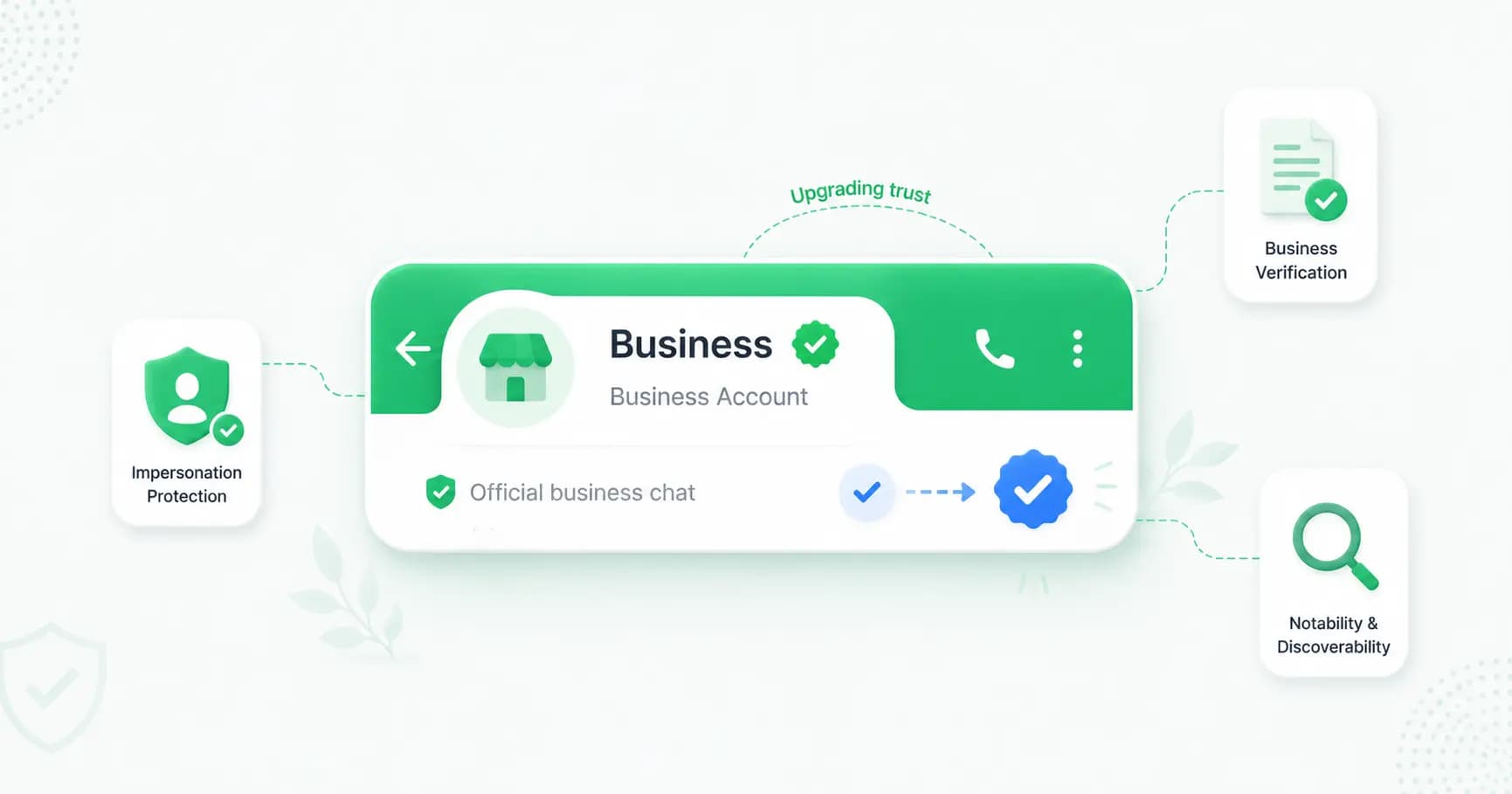
The WhatsApp green tick is a verified badge that appears next to your business name inside chats. It tells customers that Meta has confirmed your account belongs to a real, authenticated business — not an impersonator. Verified accounts are designated as an Official Business Account (OBA), and their business name shows in the chat list and conversation header even if the customer hasn't saved the number.
It's a trust signal, and a powerful one — a verified badge measurably lifts how many people open and reply to your messages. But only a small share of business accounts have it, which is exactly what makes it valuable.
Green tick vs blue tick: the 2026 confusion explained
If you've seen both "green tick" and "blue tick" guides and wondered which is right — here's the honest state of play.
For years, the verified business badge on WhatsApp was a green checkmark tied to the Official Business Account, granted on notability and impossible to buy. In mid-2024, Meta began unifying its verified badge across Facebook, Instagram and WhatsApp, and the colour started changing to blue to give customers one consistent trust signal everywhere.
The practical result in 2026:
- The classic green tick still exists for many accounts and is still earned, not bought.
- As Meta's unified badge rolls out, the verified badge may appear blue or green depending on your region and account.
- If you already have a green tick, it converts to blue automatically — no action needed.
- Functionally, nothing changed — same criteria, same benefits. The rebrand was cosmetic.
So "green tick" and "blue tick" now refer to the same thing. We'll use "green tick" throughout, since that's what most people still search for.
The green tick is not the message ticks
Quick clarification, because this trips people up: the verified green tick sits next to the account name. It's completely different from the two grey or blue ticks you see next to a message, which are just delivery and read receipts. One is a verification badge; the other tells you a message was read.
What the green tick does (and doesn't do)
What you get with the verified badge:
- A visible trust signal that lifts open and reply rates.
- Your business name in the chat list and header, even for people who haven't saved your number.
- Better discoverability in WhatsApp search.
- Proactive impersonation monitoring to stop fraudsters posing as your brand.
- Prioritised support from Meta.
What it doesn't change: the core WhatsApp Business API features — broadcasts, chatbots, templates, automation — are the same for verified and unverified accounts. The badge is a customer-facing trust signal, not a key to extra features. That's worth knowing before you invest weeks chasing it.
The two ways to get verified in 2026
There are now two distinct routes to the badge. The right one depends on your brand's size, budget and online presence.
Path 1 — Official Business Account via notability (free)
The traditional, merit-based route — best for established, recognisable brands.
- Cost: free.
- Requirement: you must prove your brand is notable, mainly through 3–5 organic press articles in reputable publications (paid advertorials usually don't count), plus a strong, consistent online presence.
- Where: only available on the WhatsApp Business API, applied for through your provider or Meta.
- Reality: Meta makes the final call with no guaranteed timeline, and only around 5% of API accounts get it. It carries extra weight precisely because it's hard to earn.
Path 2 — Meta Verified for Business (paid subscription)
The newer route, introduced in 2024, that has opened verification to smaller businesses.
- Cost: a paid monthly subscription (Meta sets the price and it varies by region — confirm the current rate inside Meta Business Manager, not from a blog).
- Requirement: business verification and good standing, without needing national-level press coverage.
- Where: available regionally — and India is supported (along with Brazil, Indonesia and Colombia). In supported regions you can even apply via the WhatsApp Business App, without the API.
- Reality: much faster — often approved within hours to about three business days — and it includes extras like impersonation protection and support.
For most Indian SMBs without major press coverage, Meta Verified is the realistic path to the badge. Established brands with strong media presence should pursue the free OBA route.
Prerequisites (both paths)
Before you can apply either way, you'll need:
- A registered business and a verified Meta Business Manager — this means submitting official documents (such as a business licence or certificate of incorporation) for Meta's business verification.
- An approved display name — when you register a number, Meta approves a display name so your brand shows instead of a number. (This approval is automatic and common, and is not the same as the green tick.)
- An account in good standing — a reasonable messaging history, a healthy quality rating, and full compliance with WhatsApp's Business and Commerce policies.
- For the OBA route specifically, a WhatsApp Business API connection via a provider.
Excluded industries: Meta doesn't verify (or in some cases allow) businesses in gambling, adult content, cryptocurrency exchanges (some regions), weapons, certain pharmaceuticals, and regulated financial products. Check WhatsApp's Business Policy before you start.
How to apply, step by step
For the OBA / notability route (API):
- Get your business verified in Meta Business Manager (upload your documents).
- Connect the WhatsApp Business API through a provider and get your display name approved.
- Build a short, clean messaging history and keep your quality rating healthy.
- In WhatsApp Manager, go to Phone Numbers → select your number → Settings → Profile, and submit a verification request with up to 5 links proving your brand's notability (website, major social profiles, press coverage).
- Wait for Meta's review.
For the Meta Verified (paid) route:
- Complete business verification in Meta Business Manager.
- In the WhatsApp Business App, go to Settings (or Business Tools) → Meta Verified — if it's available in your region, you'll see the option.
- Submit your application and subscribe.
- Meta reviews it, typically within three business days.
How long does it take?
- Business verification (the grey check): 2–7 business days when your documents are complete.
- Meta Verified (paid): hours to about 3 business days.
- Green tick via notability (OBA): 2–8 weeks — sometimes as fast as a few days for established brands, but often slower in India than in the US or EU, and slower in Q4 due to holiday volume.
If you're planning a festive-season WhatsApp campaign, start the process well in advance.
Why applications get rejected (and how to fix it)
The most common reasons for rejection:
- Documents don't match — your business name, address and details must be identical across your documents, Meta Business Manager and your website.
- Insufficient notability — too few quality press mentions for the OBA route.
- Incomplete files — missing or low-quality documents (clean PDFs perform best).
- Policy issues — an excluded industry or a poor account standing.
If you're rejected, Meta emails a (usually generic) reason. You can appeal within 30 days, and most appeals succeed when you address the specific gap rather than just resubmitting.
To improve your chances: Google your business and make sure your name, logo and contact details are consistent everywhere (website, Google Business Profile, social media); keep your display name and profile matching your documents; and for the OBA route, line up genuine press coverage before you apply.
How Splashify Pro helps you get verified
Getting verified starts with being properly set up on the API — and that's where a Meta Business Partner makes the difference. Splashify Pro gets you connected to the WhatsApp Business API, guides you through Meta Business Manager business verification and display-name approval, and helps you submit your Official Business Account / green tick request the right way — so you avoid the document mismatches and incomplete files that cause most rejections.
Frequently asked questions
How do I get the green tick on WhatsApp?
You need a verified Meta Business Manager and either (1) the free Official Business Account route — a WhatsApp Business API connection plus proof of brand notability (3–5 reputable press articles) — or (2) the paid Meta Verified subscription, which is available in India and accessible to smaller businesses. Submit your request through your provider or Meta and wait for review.
Is the WhatsApp green tick now a blue tick?
Yes — since mid-2024 Meta has been unifying its verified badge across Facebook, Instagram and WhatsApp, and the colour is changing to blue. Functionally it's identical. Existing green ticks convert to blue automatically, which is why you'll see both terms used.
Can I buy the WhatsApp green tick?
You can't buy the classic notability-based green tick — it's earned through Meta's review. However, Meta Verified is a legitimate paid subscription route to a verified badge. Never pay a third party promising to "sell" you the classic green tick; that's not how it works.
Do I need the WhatsApp Business API to get verified?
For the free Official Business Account (notability) route, yes — it's only available on the API. The paid Meta Verified route is available in supported regions (including India) and can be applied for via the WhatsApp Business App without the API.
How long does WhatsApp verification take?
Business verification takes 2–7 business days. Meta Verified is usually approved within hours to about 3 business days. The notability-based green tick can take 2–8 weeks, and tends to be slower in India.
What are the requirements for the WhatsApp green tick?
A registered business, a verified Meta Business Manager, an approved display name, an account in good standing, and compliance with WhatsApp's policies. The notability route additionally needs evidence your brand is well-known, mainly press coverage.
Why was my WhatsApp verification rejected?
Usually because documents don't match across your business records, there's insufficient notability (for the OBA route), files were incomplete, or there's a policy or industry issue. You can appeal within 30 days by addressing the specific gap.
Does the green tick give me extra WhatsApp features?
No. Broadcasts, chatbots, templates and automation are the same for verified and unverified accounts. The badge is a customer-facing trust signal — name display, search visibility and impersonation protection — not a feature unlock.
The bottom line
In 2026, the WhatsApp green tick (now becoming a blue tick) is still a genuine trust signal worth earning — you just need to pick the right path. Established brands with press coverage should pursue the free Official Business Account route; most Indian SMBs will find Meta Verified the faster, more realistic option. Get your business verification and display name right first, keep everything consistent, and your odds of approval go way up.
Get API-ready and verification-ready with Splashify Pro → — a Meta Business Partner that guides you through setup, business verification and your green tick application. Start free for 14 days.
- #how to get verified on whatsapp
- #meta verified whatsapp
- #official business account
- #whatsapp blue tick
- #whatsapp green tick
- #whatsapp verified badge