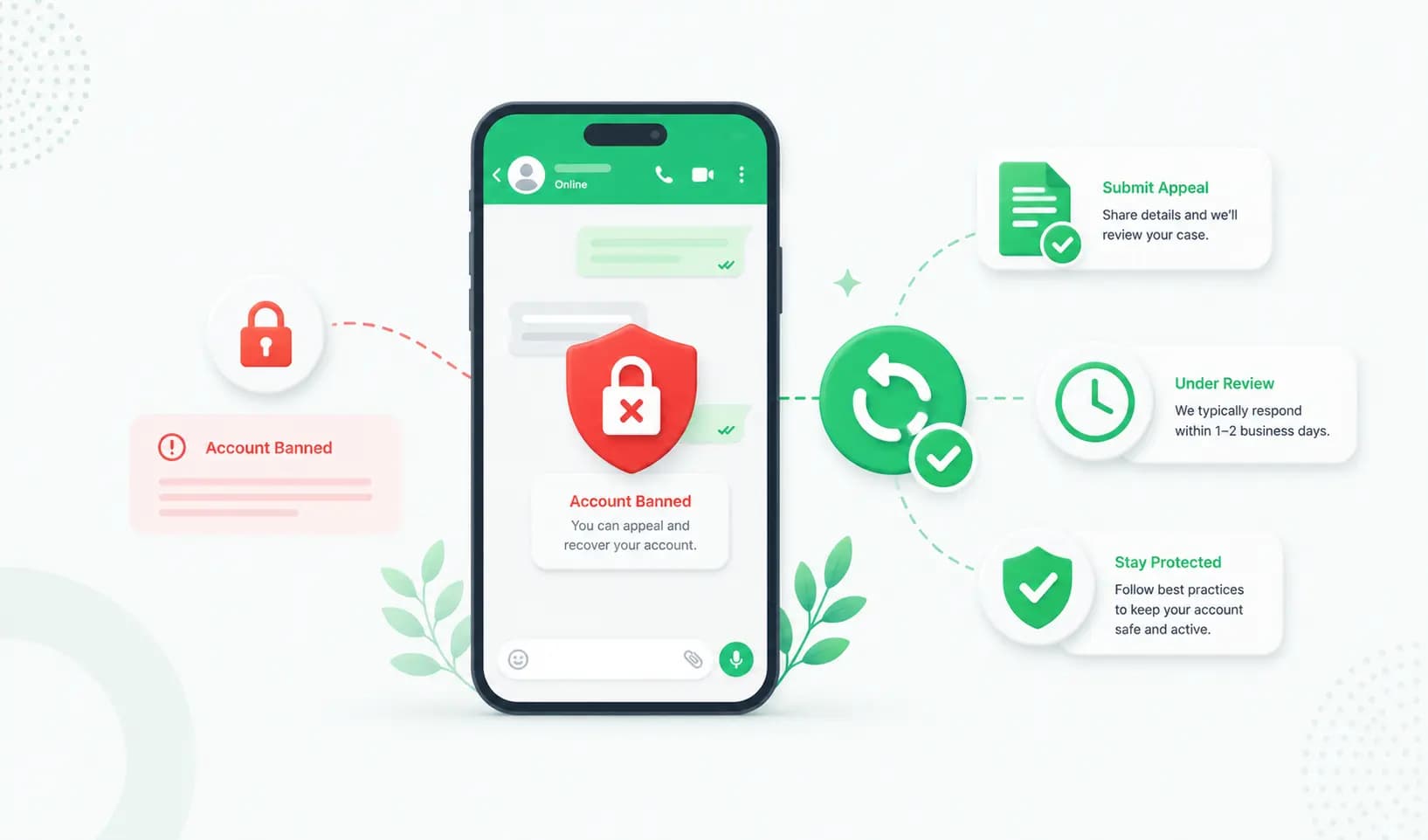
Seeing "Your phone number is banned from using WhatsApp" is stressful — especially when it's the number your customers reach you on. The good news: many WhatsApp Business bans can be reversed if you act quickly and correctly. The bad news: doing it wrong (or panicking and messaging more) can make a temporary restriction permanent.
This guide walks you through exactly what to do: how to tell which type of ban you have, how to request a review and recover your number (the steps differ for the app vs the API), a copy-paste appeal template, and how to make sure it never happens again.
First: stop messaging immediately
Before you do anything else, stop all messaging activity — pause campaigns, broadcasts, automations and bulk sends. WhatsApp reviews your recent activity when it assesses an appeal, and continued sending while you're restricted can damage your chances and turn a recoverable ban into a permanent one. Don't keep trying to send messages "to test it." Stop, then follow the steps below.
Temporary ban vs permanent ban: which do you have?
There are two kinds of restrictions, and they're handled differently:
- Temporary ban (restriction): Usually a warning that lasts 24–72 hours. You may see a countdown timer. Access often restores automatically once it expires — and the key action is to fix what triggered it so it doesn't repeat.
- Permanent ban: WhatsApp has disabled your number or WhatsApp Business Account. You'll typically see a message that your number is banned, often with a "Request a Review" option. This requires an appeal to recover.
If you see a timer, wait it out and fix the cause. If you see a review prompt or a hard ban message, go straight to the recovery steps.
Why WhatsApp Business accounts get banned
WhatsApp uses AI-driven systems to detect spam and abuse, and they've become much stricter. The most common reasons for a ban are:
- Using unofficial apps or tools — WhatsApp Plus, GB WhatsApp, or "free" bulk-sender Chrome extensions and automation tools that violate WhatsApp's Terms of Service. (This is the single biggest cause — see our guide on bulk WhatsApp senders and the ban risk.)
- Too many blocks or reports — if many recipients block or report you in a short window, WhatsApp flags the number.
- Messaging people without consent — sending to contacts who never opted in or don't have your number saved.
- Sending too much, too fast — especially from a new number with no "warm-up," which looks like spam.
- Policy violations — promoting prohibited goods or services, or breaching WhatsApp's Business and Commerce policies.
- A low quality rating (API) — on the WhatsApp Business API, a falling quality rating from spammy sending can trigger restrictions.
How to recover a banned WhatsApp Business account
The recovery path depends on whether you use the WhatsApp Business app or the WhatsApp Business API. Follow the section that matches you.
If you use the WhatsApp Business app
- Open WhatsApp to see the ban notification.
- If a "Request a Review" button appears, tap it and follow the prompts. This sends your appeal directly to WhatsApp.
- If there's no in-app button, contact WhatsApp Support: in the app go to Settings → Help → Contact Us, or email [email protected] with your number (in full international format) and a clear explanation.
- Submit once and wait for a response — usually within a few business days.
If you use the WhatsApp Business API (WABA)
- Go to Meta Business Suite and open the Account Quality dashboard (business.facebook.com/accountquality), or open WhatsApp Manager.
- Find your restricted number or WABA under Business Support Home.
- Click View Details → Request Review.
- Enter supporting details — your business name, description, website, how you use WhatsApp, and any opt-in evidence or message examples that show you're compliant.
- Click Submit. The case moves to the In Review tab, where you can track its status.
Important: Meta generally allows only one review request per restriction, so make your first submission complete and convincing. Don't fire off repeated requests — it can slow your case and hurt your chances.
Copy-paste WhatsApp appeal template
When you request a review, keep your message professional, honest and specific. Here's a template you can adapt (replace the bracketed details with yours):
> Dear WhatsApp/Meta Support,
>
> I am requesting a review of the restriction on phone number [+country code and number]Â associated with [business name / WABA ID]. I believe this restriction may have been applied in error.
>
> We use WhatsApp to [briefly describe legitimate use — e.g. send order updates and respond to customer enquiries]. All recipients have opted in to receive messages from us, and we follow WhatsApp's Business and Commerce policies.
>
> If any aspect of our messaging caused this restriction, we have paused all activity and are committed to full compliance going forward. We would be grateful for a review and reinstatement of the number.
>
> Thank you for your time.
> [Your name], [Business name], [Website]
Keep it short, respectful and factual. Acknowledge any genuine mistake, and clearly commit to following the rules.
What happens after you submit
- Temporary restrictions often resolve within 24–72 hours.
- Review requests are typically decided in 24–48 hours, though complex cases (business verification, repeated violations) can take up to 7 business days.
- Don't submit again while you wait — monitor the status in your Account Quality tab (API) or wait for WhatsApp's reply (app).
- Appeals are more likely to succeed when the restriction was triggered by a low-confidence automated flag or a one-off mistake; accounts involved in repeated spam or fraud are far less likely to be reinstated.
What if your appeal is rejected?
Be realistic: a permanently banned number, especially one tied to repeated violations, may not be recoverable. If your appeal fails:
- Do not pay "WhatsApp unban" services. No third-party tool can remove a ban — only Meta/WhatsApp can. Anyone "guaranteeing" an unban is running a scam.
- Start fresh, the right way. Move to a new number on the official WhatsApp Business API, warm it up gradually, collect opt-in, and use approved templates — so you don't repeat the problem.
How to prevent your WhatsApp number from getting banned
Whether you recover your number or start over, these habits keep you safe:
- Use the official WhatsApp Business API — never unofficial apps or bulk-sender extensions.
- Get explicit opt-in before messaging anyone, and make it easy to opt out.
- Use approved message templates for business-initiated messages.
- Warm up new numbers — start with low volumes and scale gradually.
- Personalise and segment so messages are relevant, not spammy.
- Watch your quality rating (on the API) and your block/report rate.
- Don't message people who'll block you — irrelevant blasts are the fastest route to a ban.
Why the official WhatsApp Business API protects your number
If you've been banned while using the consumer app or an unofficial tool, the most effective long-term fix is switching to the official WhatsApp Business API. It significantly reduces ban risk because:
- It's a Meta-sanctioned channel — you're not violating WhatsApp's Terms of Service the way unofficial tools do.
- It has a built-in quality rating and messaging limits that guide safe sending and warn you before problems escalate.
- Opt-in and approved templates are built into the workflow, which keeps block and report rates low.
- You get a verified business profile (and the green tick), which builds trust and reduces reports.
The API isn't immune to restrictions — you still need to follow opt-in and quality best practices — but used properly, it's far more stable than the consumer app plus risky third-party senders. A platform like Splashify Pro sets you up on the official API with opt-in management, templates and a shared inbox, so you can message at scale safely.
Frequently asked questions
Can a banned WhatsApp number be recovered?
Often, yes — especially temporary bans or restrictions triggered by an automated flag or one-off mistake. Submit a Request Review through the app or Meta Business Suite. Numbers banned for repeated spam, scams or fraud are much less likely to be reinstated.
How long does a WhatsApp ban last?
Temporary bans usually last 24–72 hours and may lift automatically. Permanent bans don't expire on their own — you must appeal through the official review process to recover the number.
Why was my WhatsApp Business account banned?
The most common causes are using unofficial apps or bulk-sender tools, sending to people who didn't opt in, getting too many blocks/reports, sending too fast from a new number, or violating WhatsApp's business policies.
How do I request a review for a banned WhatsApp account?
On the WhatsApp Business app, tap "Request a Review" in the ban notification or contact WhatsApp Support. On the WhatsApp Business API, go to Meta Business Suite → Account Quality → find the restricted asset → Request Review, and submit your details and evidence.
Can I use a third-party tool to unban WhatsApp?
No. Only Meta/WhatsApp can lift a ban. Services that promise guaranteed unbans are scams — don't pay them. The only legitimate route is the official Request Review process.
How long does the WhatsApp appeal take?
Review requests are typically decided within 24–48 hours, though complex cases can take up to 7 business days. Avoid submitting multiple requests, which can slow your case.
Does using the WhatsApp Business API prevent bans?
It greatly reduces the risk because it's an official channel with quality ratings, messaging limits, opt-in management and approved templates. It's not completely ban-proof — you still need to follow best practices — but it's far safer than the consumer app with unofficial tools.
What should I do first when my account is banned?
Stop all messaging immediately, identify whether the ban is temporary or permanent, and only then submit a single, well-prepared Request Review. Continuing to send messages while restricted can make a recoverable ban permanent.
The bottom line
A WhatsApp Business ban feels like a crisis, but it's often recoverable if you stay calm, stop messaging, and submit one strong, honest appeal through the correct channel. And the best way to never face it again is to move to the official WhatsApp Business API with proper opt-in and quality practices.
Get set up safely on the official WhatsApp Business API with Splashify Pro → — opt-in management, templates and a shared inbox built in, with a 14-day free trial.
- #recover whatsapp account
- #request a review whatsapp
- #whatsapp account blocked
- #whatsapp ban appeal
- #whatsapp business account banned
- #whatsapp number banned