
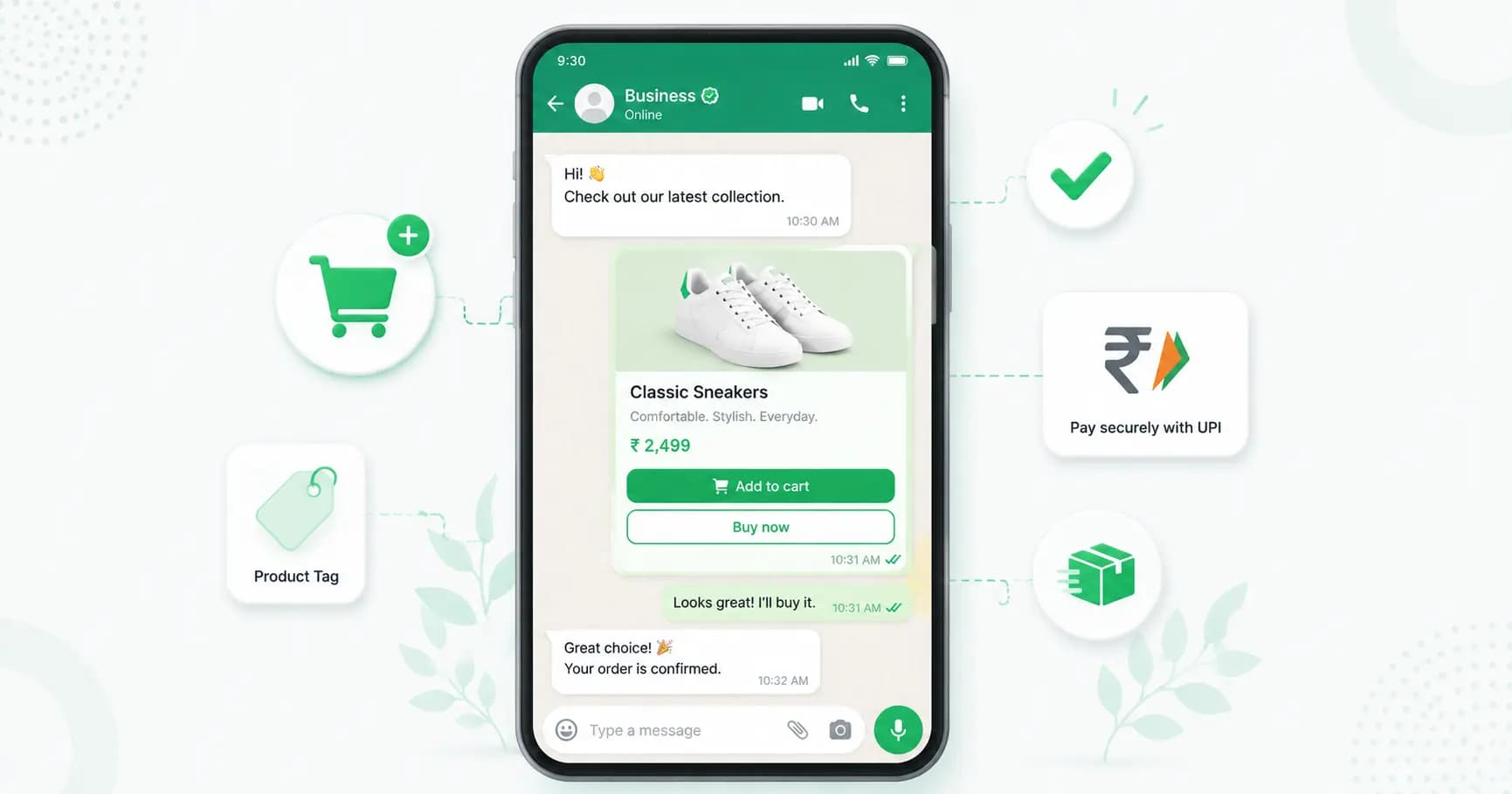
Your customers are already on WhatsApp — 535M+ Indians use it, and business messages get opened around 98% of the time. So why send them to a website (or hand 25-30% of every order to an aggregator) when you can let them browse, add to cart, and pay without ever leaving the chat?
This guide shows you exactly how to sell on WhatsApp in 2026: setting up a catalog, building a full WhatsApp store with cart and checkout, taking UPI payments, automating orders, and promoting it all.
Why sell on WhatsApp?
Selling directly on WhatsApp has become one of the smartest moves for Indian businesses:
- Bypass aggregator commissions. Swiggy, Zomato and marketplaces take 25-30% of every order. Sell on WhatsApp and you keep the full margin.
- Own your customer relationship. On an aggregator, the buyer is their customer. On WhatsApp, they're yours — for repeat orders, offers and support.
- Lower cart abandonment. In-chat checkout sees around 30% lower abandonment than redirecting customers to a website.
- No website required. You can start selling with just a WhatsApp Business account and a catalog.
- UPI-native. Indian shoppers already pay with UPI, so paying inside WhatsApp feels natural and removes friction.
- Conversational selling. Customers can ask questions and get answers instantly before they buy — which builds trust and lifts conversion.
The two ways to sell on WhatsApp
There are two routes, depending on your scale:
- WhatsApp Business app catalog (free, basic). Good for solo sellers and small shops. You list products in a catalog and customers message you to order. It's a discovery layer — there's limited automation, no central order management, and payment usually happens via a link.
- WhatsApp store builder via the API (advanced). For businesses that want a real storefront — catalog sync, interactive carts, automated order flows, payments and integrations with Shopify/WooCommerce. This is what a platform like Splashify Pro's WhatsApp store builder provides.
What is a WhatsApp catalog?
A WhatsApp catalog is a Meta feature that lets you showcase up to 500 products directly inside WhatsApp. Each product listing includes an image, title, price, description and product code. Customers browse your catalog, tap to view details, and add items — all without leaving the app.
Think of the catalog as your in-chat storefront window: a browsable product layer that turns conversations into orders.
How to set up a WhatsApp catalog (free, Business app)
If you're starting small, you can set up a basic catalog in the WhatsApp Business app:
- Open WhatsApp Business → Settings → Business tools → Catalog.
- Tap Add item.
- Add product images (square, at least 600×600px), a title, price, description, and an optional product link and code.
- Save, and repeat for each product. Group items into collections (categories) to make browsing easier.
- Share your catalog (or individual products) in any chat, or add the catalog link to your profile.
This is enough to start taking orders by message. To scale, you'll want a full store.
How to build a full WhatsApp store (the platform way)
For automated, high-volume selling, connect the WhatsApp Business API through a store builder:
- Connect the WhatsApp Business API via Meta Embedded Signup (you'll need a Meta Business Account, a phone number not registered on WhatsApp, and basic business documents).
- Import your products — sync from Meta Commerce Manager, bulk-import via CSV, or connect Shopify or WooCommerce for real-time sync (no double data entry).
- Set up the in-chat cart using interactive list and multi-product messages so customers can browse and add items.
- Connect payments — UPI via WhatsApp Pay and/or payment links (Razorpay, PhonePe, Zoho).
- Automate the order flow — confirmations, dispatch and delivery updates that fire automatically.
- Go live and start promoting your store.
Most businesses are up and running within an hour or two.
Carts and checkout on WhatsApp
Modern WhatsApp selling has moved well beyond sending product images one by one. With multi-product messages and interactive carousels, customers can browse your catalog, select items and add them to a cart — then send a structured order back to you, all inside the chat. No PDFs, no screenshots, no leaving WhatsApp.
Taking payments on WhatsApp in India
In 2026, Indian businesses have two solid ways to get paid inside WhatsApp:
- Native WhatsApp Pay (UPI). WhatsApp Pay is now live and mature in India. You send a payment request, and the customer authorises it with their UPI PIN — without leaving the chat.
- Payment links. Generate a Razorpay, PhonePe or Zoho payment link in the conversation. The customer taps it, pays via UPI, card or netbanking, and gets confirmation back in WhatsApp.
Both keep the customer inside the chat experience — which is exactly why in-chat checkout sees far lower cart abandonment than redirecting buyers to a website. Splashify Pro uses payment links (Razorpay/PhonePe/Zoho) so customers pay seamlessly via UPI, card or netbanking.
Automating your WhatsApp orders
The real power of a WhatsApp store is automation. With approved message templates, you can automatically send:
- Order confirmations the moment a customer pays.
- Dispatch and delivery updates as the order status changes.
- Abandoned cart reminders to nudge customers who didn't complete checkout.
- Post-purchase messages — reviews, reorder prompts and recommendations.
This turns a one-off sale into a repeatable, low-effort revenue engine.
How to promote your WhatsApp store
Once your store is live, drive traffic to it:
- Click-to-WhatsApp ads on Facebook and Instagram that open a chat straight into your catalog. (See Click to WhatsApp Ads.)
- A click-to-chat link in your Instagram bio, website and emails — create one free with the WhatsApp Link Generator.
- Broadcasts to your opted-in customers announcing new products and offers.
- Your WhatsApp number and catalog link on packaging, receipts and your Google Business Profile.
Best practices for selling on WhatsApp
- Use high-quality, square product images (at least 600×600px) — professional images attract far more inquiries.
- Always show prices — catalogs with visible pricing generate significantly more add-to-cart actions.
- Keep descriptions concise (under ~100 words) but include size, material and key selling points.
- Organise with collections so customers can find products quickly.
- Reply fast — speed is the difference between a sale and a lost lead; use automation for instant responses.
- Recover abandoned carts with a timely reminder — it's some of the easiest revenue to win back.
How Splashify Pro's WhatsApp store builder works
Splashify Pro turns WhatsApp into a full storefront so you can skip aggregator commissions and own your customers:
- Meta Catalog sync — connect Meta Commerce Manager and your products auto-sync to your WhatsApp catalog.
- In-chat cart — customers browse and add items via WhatsApp's native interactive list messages.
- In-chat checkout — Razorpay/Zoho/PhonePe payment links so customers pay via UPI, card or netbanking without leaving WhatsApp.
- Order automation — confirmation, dispatch and delivery messages fire automatically on status changes.
- Multi-brand support — manage multiple stores or brands (great for cloud kitchens and multi-brand retailers) from one account.
- Shopify / WooCommerce / CSV import — bulk-import or sync products in real time, with no double data entry.
The result: customers browse, add to cart and pay entirely inside WhatsApp — and you keep the 25-30% you'd otherwise hand to an aggregator.
Frequently asked questions
Can I sell on WhatsApp without a website?
Yes. With a WhatsApp Business account and a catalog you can sell directly in chat — no website needed. For automated carts, payments and order flows, connect a WhatsApp store builder via the API.
How do I set up a WhatsApp catalog?
In the WhatsApp Business app, go to Settings → Business tools → Catalog → Add item, then add each product's image, title, price and description. For a larger store, sync your catalog from Meta Commerce Manager, a CSV, or Shopify/WooCommerce through a platform.
How many products can a WhatsApp catalog have?
A WhatsApp catalog supports up to 500 products, each with an image, title, price, description and product code.
Can customers pay inside WhatsApp?
Yes. In India you can use native WhatsApp Pay (UPI) and/or payment links (Razorpay, PhonePe, Zoho). The customer pays via UPI, card or netbanking and gets confirmation in the chat — no need to leave WhatsApp.
Is selling on WhatsApp cheaper than using Swiggy, Zomato or marketplaces?
Usually, yes. Aggregators take 25-30% commission per order. Selling on WhatsApp means you keep that margin and own the customer relationship — you only pay your platform subscription and standard WhatsApp message charges.
What's the difference between the WhatsApp Business app catalog and a WhatsApp store builder?
The free Business app catalog is a basic discovery layer with manual ordering. A WhatsApp store builder (via the API) adds interactive carts, automated order flows, payment integration, multi-brand support and Shopify/WooCommerce sync for real, scalable selling.
How do I get customers to my WhatsApp store?
Use click-to-WhatsApp ads, a click-to-chat link in your bio and website, broadcasts to opted-in customers, and your WhatsApp number on packaging and receipts.
How long does it take to set up a WhatsApp store?
With a platform, most businesses are live within one to two hours via Meta Embedded Signup, plus the time to import your products.
The bottom line
Selling on WhatsApp lets you meet customers where they already are, take payments via UPI without a website, automate your order flow — and keep the margin that aggregators would otherwise take. Start with a catalog, add a cart and checkout, automate your order messages, and promote it with ads and broadcasts.
Build your WhatsApp store with Splashify Pro → — catalog, cart and checkout inside WhatsApp, with Shopify/WooCommerce sync and Razorpay/PhonePe payments. Free for 14 days, or see pricing.
- #sell on whatsapp
- #whatsapp catalog
- #whatsapp commerce
- #whatsapp ecommerce
- #whatsapp store
- #whatsapp store builder